
Batch Generation & File Packaging
Execute multi-document batches at high speed, monitor real-time queue progress, select PDF or Word output formats, and download packaged ZIP archives.
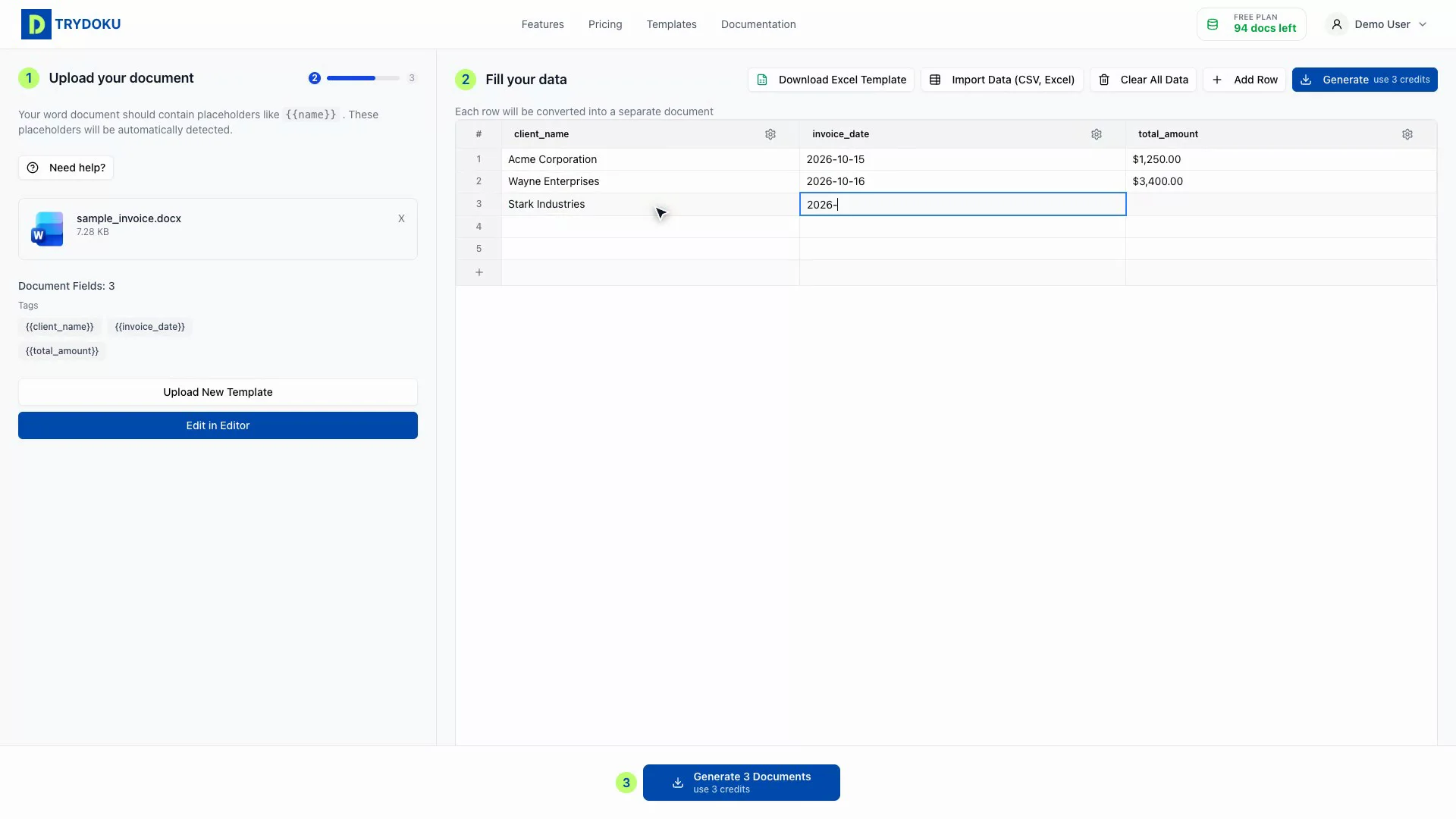
When your Word template is loaded and your data rows are confirmed, you are ready to initiate batch generation. Trydoku generates hundreds of customized documents in seconds, packages them into a clean ZIP archive, and provides immediate downloads.
Starting the Batch Generation
- Review Document Count: The Composer displays the exact number of documents that will be generated along with your remaining credit balance.
-
Choose Output Format: Select between:
- Microsoft Word (.docx): Best when recipients need to further edit or digitally sign documents in Word.
- Adobe PDF (.pdf): Best for finalized invoices, formal certificates, employment contracts, and print-ready distributions.
-
Configure File Naming Pattern: Customize how individual files are named using variables, such as
Invoice-{{ invoice_num }}-{{ client_name }}.pdf. - Click Generate Documents: Press the primary blue button to launch asynchronous processing.
Real-Time Progress & ZIP Packaging
During generation, an animated progress modal keeps you informed with real-time status updates:
Individual document tasks are processed concurrently across our distributed worker pool. Even batches of 200+ complex multi-page contracts are rendered, converted, and packaged in under 30 seconds.
Once all rows are rendered, the server packages them into a single compressed .zip archive. Click Download All Documents to download the ZIP file directly to your browser.
File Retention & Privacy
In line with our strict privacy policies, generated ZIP archives and individual output files are held in temporary storage for 24 to 48 hours so you can re-download if your connection drops. After this ephemeral window passes, all generated files are permanently deleted.
Put this into practice
Ready to take action or test what you've learned?