
Documentation
Welcome to the TRYDOKU documentation. Learn how to generate documents from templates quickly and efficiently using Word (DOCX) templates and your data.
Security & Privacy
Evaluating TRYDOKU for your organization? See our Security & Trust Center for details on ephemeral processing, zero data retention, and GDPR compliance.
Getting started
To generate documents with TRYDOKU you need:
- A DOCX template with placeholders
- Data (e.g. CSV or Excel) that matches those placeholders
Upload your template, attach your data, and TRYDOKU will produce one document per row. Each document uses the same layout with different values filled in.
Preparing template
Create your document as you would in Microsoft Word or any editor that saves DOCX. Design the layout, headings, tables, and images as usual. Where you want values to change per document, insert placeholders (see Placeholders).
Save the file as a .docx file. TRYDOKU only works with the DOCX format.
Validate Your Template Instantly
Want to test your Word template before creating a batch? Use our free client-side Word Template Variable Parser to inspect detected placeholders, dynamic loops, and conditional clauses directly in your browser with zero server upload.

Preset templates
If you don't want to start from scratch, we offer a Templates Gallery with pre-built documents. You can browse categories like HR, Sales, Legal, Finance, and Operations to find the perfect starting point for your document automation.
Using online template editor
If you don't have or don't want to use Microsoft Word or any other editor that saves DOCX, you can use our advanced online template editor. It supports basic text formatting moreover you can add placeholder variables easily.
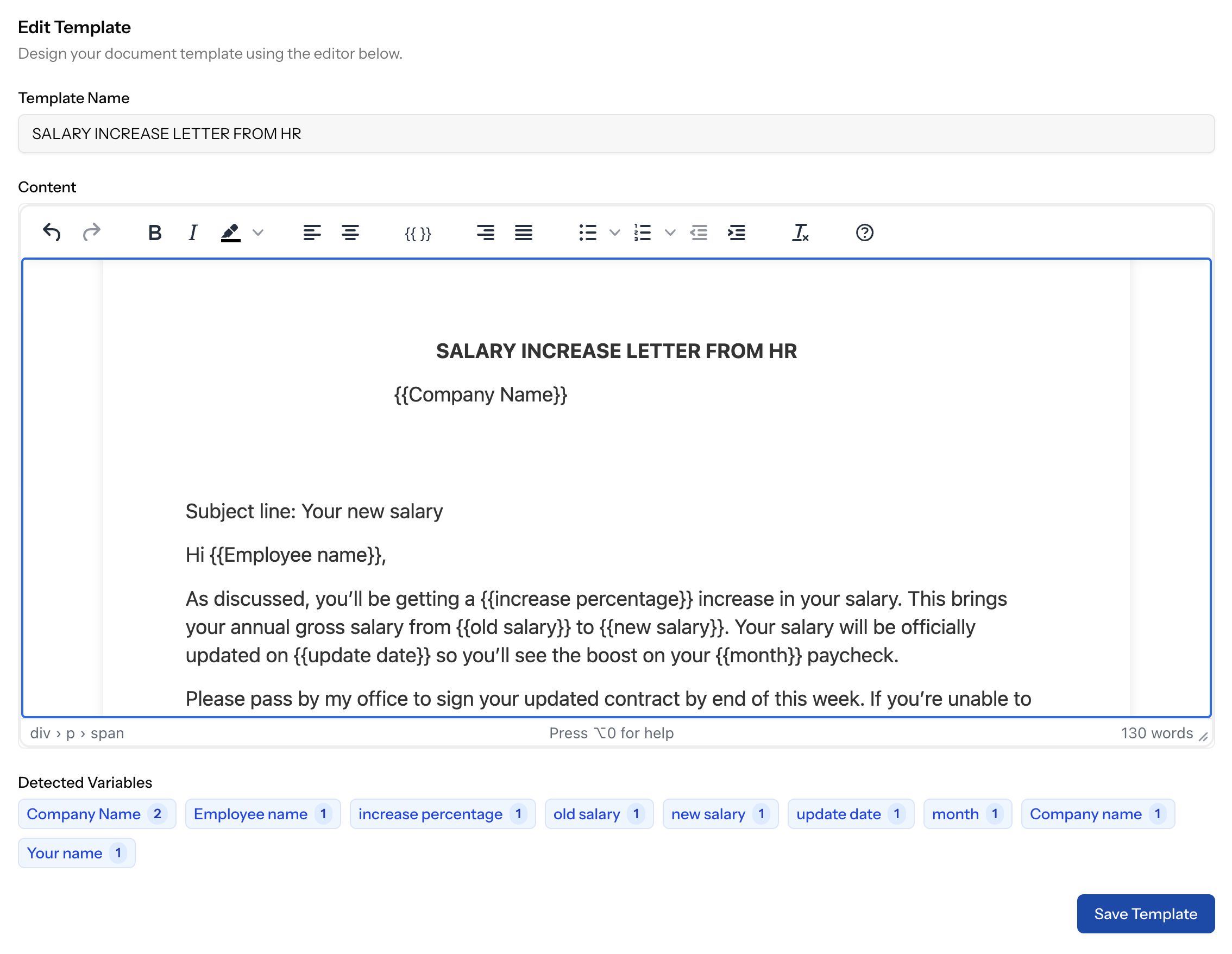
Placeholders
Placeholders are names wrapped in double curly braces. TRYDOKU replaces each placeholder with the value from your data for that row.
Examples:
{{ name }}— for a person’s name{{ date }}— for a date{{ company }}— for a company name
You can use any placeholder name that matches a column in your data. Use only letters, numbers, and underscores inside the braces. Keep placeholder names unique in the template.
Make sure there are no spaces inside the braces: {{ name }} is correct; {{ name }} with extra spaces may
not be recognized.
Need to verify the exact list of variables detected in your document? Drop your file into our Variable Parser to preview simple fields, repeating dynamic loops, and conditional blocks automatically.
Dynamic Loops
You can iterate over lists of data (like invoice items) using loop markers. This allows you to generate repeating sections for each item in your data.
Syntax:
- Start Loop:
{> variableName }} - End Loop:
{< variableName }}
Everything between these markers is repeated. If using a table, place the start marker in the first cell of the row and the end marker in the last cell of the row.
Conditional Logic
You can conditionally show or hide parts of your document using If/Else blocks. This is useful for displaying optional clauses, different greetings based on criteria, or specific terms.
Syntax:
- Start If:
{% if condition_variable %} - Else (Optional):
{% else %} - End If:
{% endif %}
If the condition_variable is present and truthy in your data, the content between the start tag and the else/endif tag will be included. Otherwise, the content inside the else block (if provided) is shown. If there is no else block, nothing is shown.
Preparing data
Your data source should have one row per document. Column headers do not need to match your placeholder names exactly—TRYDOKU automatically matches column headers to placeholders case-insensitively, and you can freely map or adjust your columns in the import dialog.
Supported formats:
- CSV — comma-separated values
- Excel — .xlsx spreadsheets
The first row is treated as headers, and empty cells are replaced with blank values in the generated document. If any column header uses a different name from your template variable, simply select the matching placeholder from the dropdown menu during import.
Export Matching Excel Spreadsheet Template
Instead of manually typing spreadsheet column headers, upload your .docx template to the Word Template Variable Parser and click Export Excel Template (.xlsx) to download a pre-formatted spreadsheet ready for your data.
Generating documents
In the TRYDOKU composer:
- Upload your DOCX template.
- Upload your CSV or Excel file.
- Check the preview to confirm placeholders and data columns line up.
- Click to generate. You get one DOCX per data row, which you can download individually or as a zip.
Generation uses your credit balance. One document typically costs one credit; check your plan and the credits page for details.
Download options
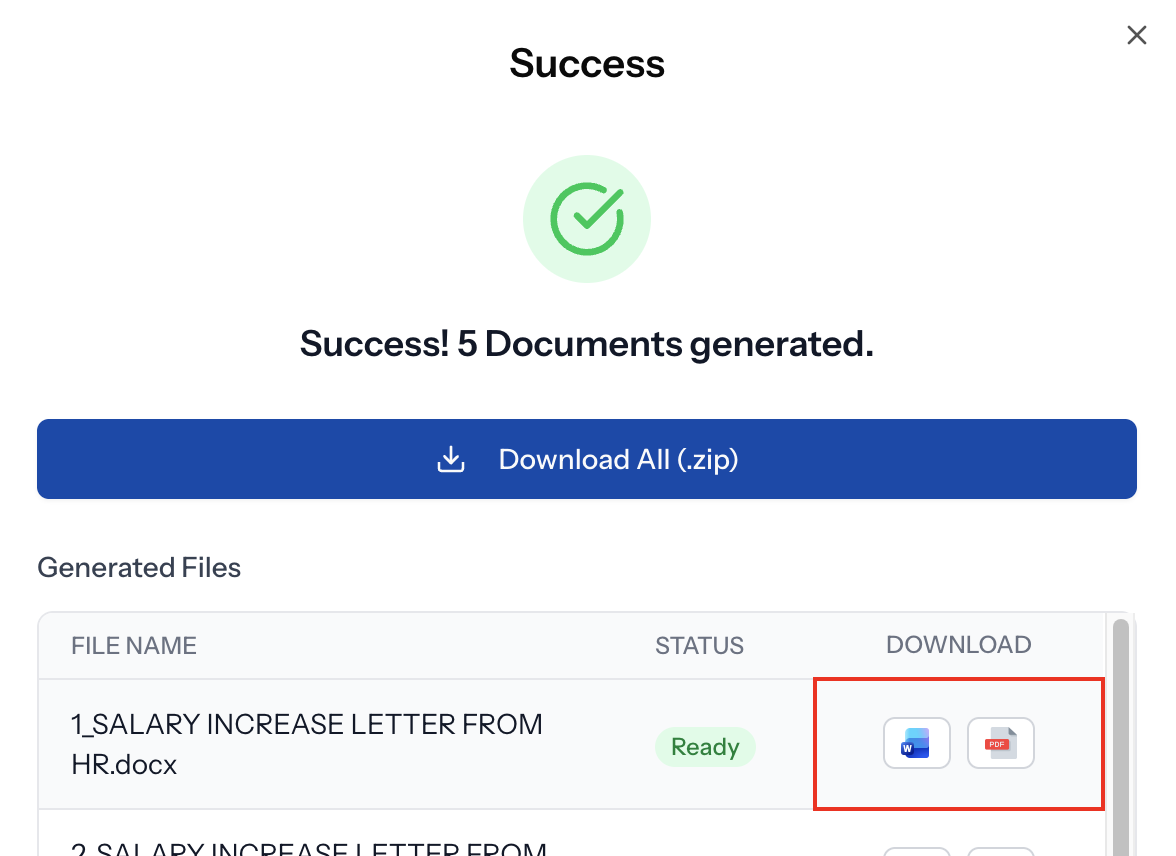
Once your documents are generated, each file can be downloaded in two formats:
- DOCX — the original Word format as generated, ready for editing or further customization.
- PDF — a high-fidelity PDF version. PDF files preserve layout and are ideal for distribution or printing.
Both download buttons appear in the success modal once generation completes. You can also download all files as a single zip archive.
For more help, see the app’s in-product tips or contact support.
Start automating for free by creating an account. Use Google or Facebook login, no credit card required.
REST API
For developers, TRYDOKU provides a REST API to integrate document generation into your own applications.
You can upload templates, submit generation jobs, and retrieve results programmatically. The API uses standard JSON request/response formats and requires Bearer authentication via API keys.
API keys are generated in the app under Settings →
API Keys. You can create, revoke, and copy keys there.
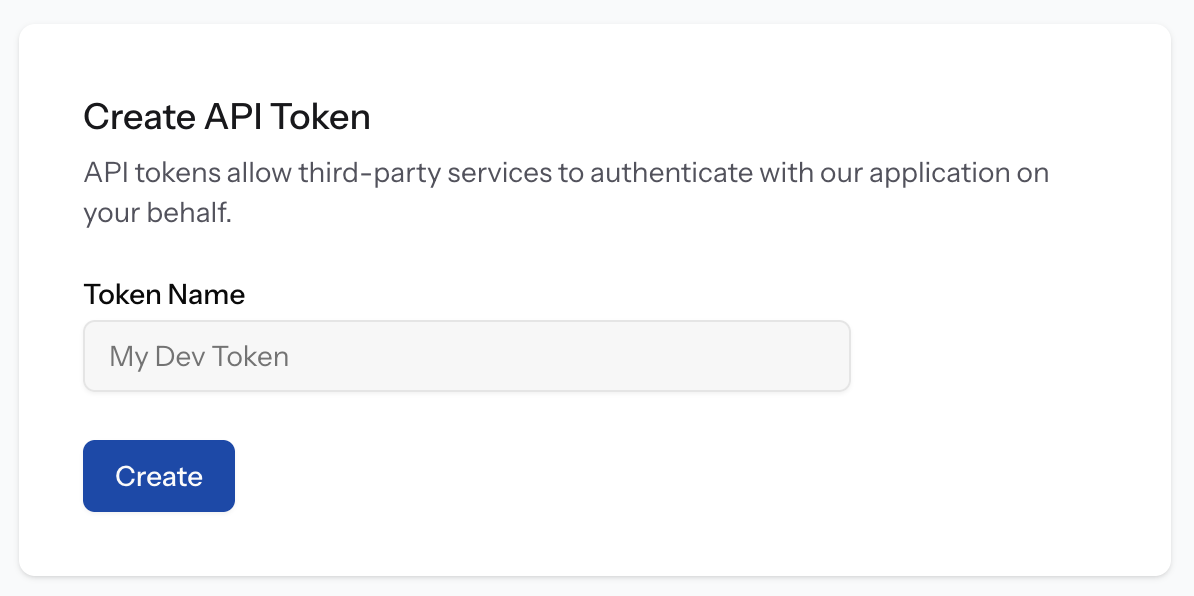
For full details, including endpoints, request examples, and authentication, see the API documentation. Coding agents (Cursor, Claude Code, Codex, Antigravity) should use the AI hub to install the official skill from GitHub.