
How can we help you today?
Explore step-by-step guides, formatting tutorials, and video walkthroughs to master automated document generation.
Search Results
No help articles matched your query. Browse categories below or check our full manual.
Browse Topics
Account & Billing
Manage your Trydoku identity, authentication methods, welcome credits, 100-pack purchases, Paddle invoices, and data privacy rights.
Word Templates
Author dynamic DOCX templates using scalar variables, repeating table rows, bullet loops, conditional blocks, and catalog presets.
Document Composer
Upload templates, import spreadsheets or CSV files, map variables, edit data in-grid, and run high-speed batch generation.
Developer API
Integrate document automation directly into your software stack using REST endpoints, API tokens, and webhook notifications.
Featured Video Walkthrough
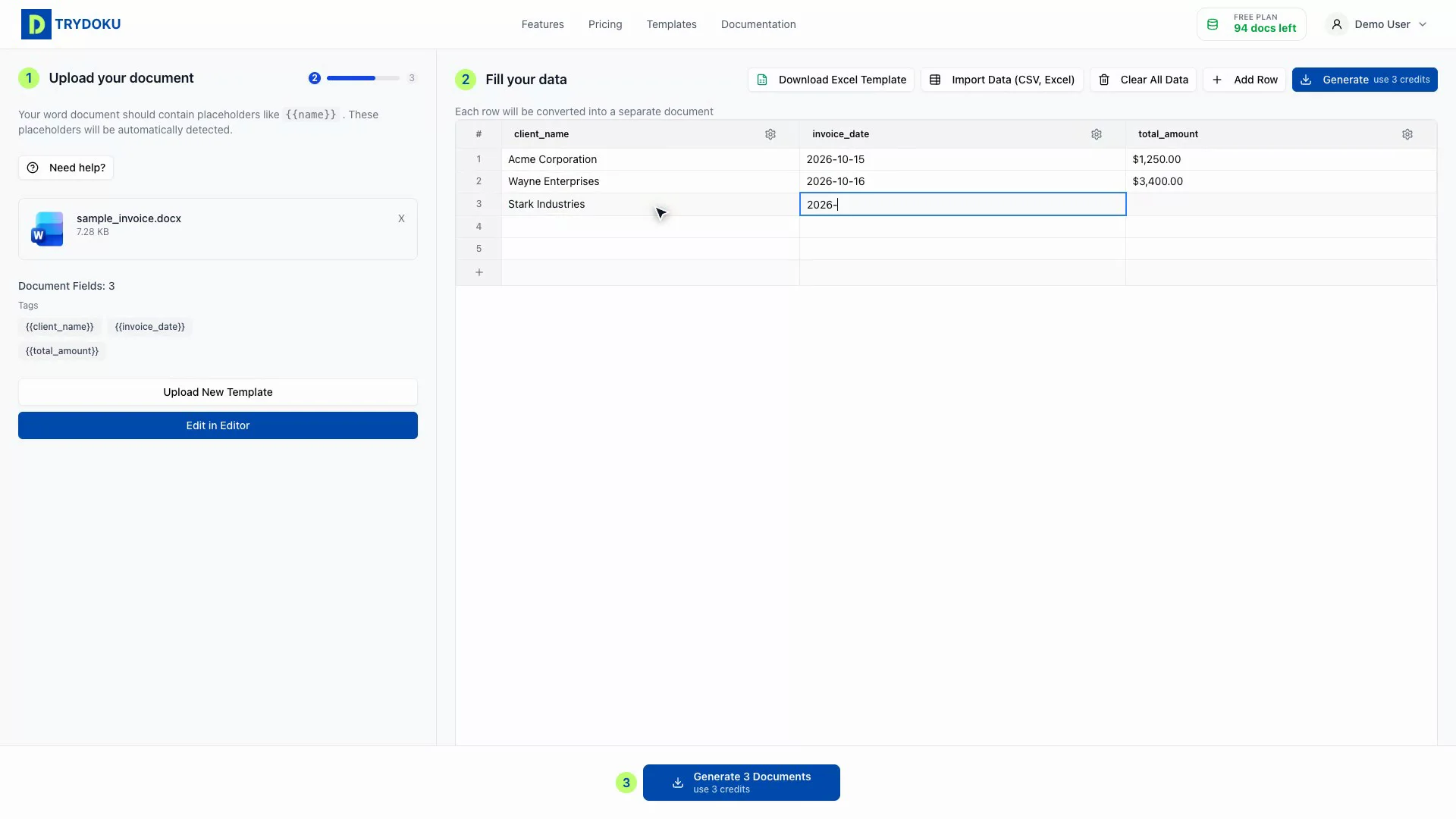
See the full document generation workflow in 44 seconds
Popular Quickstart Guides
Signing In & Account Access
Learn how to sign in to Trydoku with email, Google, or Facebook OAuth SSO, reset forgotten passwords, and manage active sessions.
Scalar Variables & Placeholders
Master the {{ variable_name }} placeholder syntax in Microsoft Word documents, character conventions, case-insensitivity, and formatting.
Uploading Word Templates
Upload your .docx template, verify automated schema detection, fix fragmented Word XML run tags, and validate required placeholder fields.
Batch Generation & File Packaging
Execute multi-document batches at high speed, monitor real-time queue progress, select PDF or Word output formats, and download packaged ZIP archives.
Ready to create documents?
Jump straight into Trydoku Composer and generate your first batch in seconds.