Mail Merge Alternative: Generate 100+ Documents in Seconds
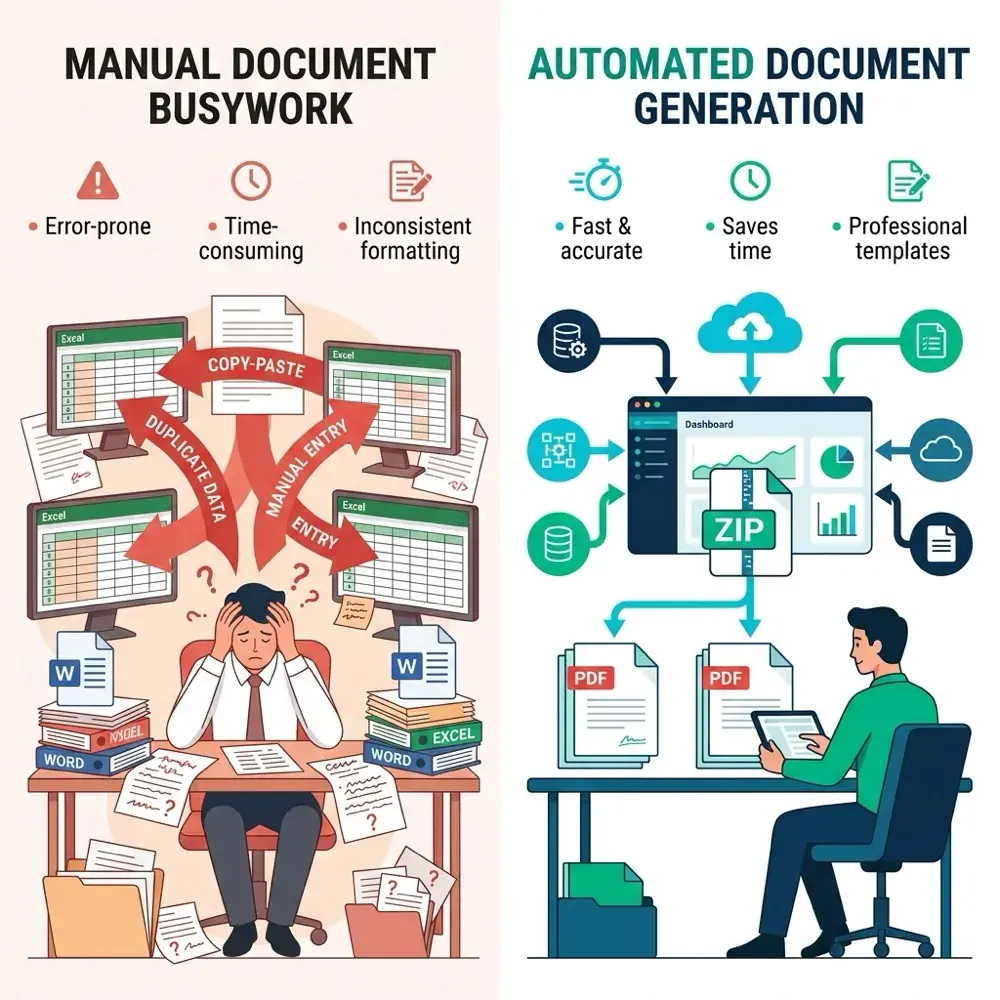
If you've ever tried to generate personalized contracts, invoices, or offer letters using Microsoft Word's built-in Mail Merge, you already know the pain: confusing wizard steps, broken formatting, fields that silently fail, and no good way to produce PDFs. It works for a Christmas card list — but for professional document automation, it falls short.
This guide introduces a modern mail merge alternative that lets you generate 100+ perfectly formatted Word (.docx) or PDF documents from an Excel spreadsheet — in under 10 seconds. No plugins, no VBA macros, no IT department required.
Why Mail Merge Breaks Down for Business Use
Word's Mail Merge was designed in the 1990s for simple letter personalization. Three decades later, professionals use it for contracts, invoices, HR letters, compliance reports, and more. The tool wasn't built for this, and it shows:
- Formatting corruption — Fonts, line heights, and table layouts break when fields are inserted. You spend more time fixing styling than writing content.
- No PDF output — Mail Merge produces .docx files only. Converting to PDF requires a separate step for every document.
- One-at-a-time workflow — Generating 50+ documents means clicking through the wizard repeatedly, or fighting with VBA scripts that break on updates.
- No data validation — Misspelled column names fail silently. You discover the error only after generating 200 broken documents.
- No version history — Once generated, there's no audit trail linking a document back to its source data row.
If you recognize any of these problems, you need a modern alternative.
How TRYDOKU Works: 4 Steps to Bulk Document Generation
TRYDOKU replaces the entire Mail Merge workflow with four simple steps. No desktop software to install — it runs entirely in your browser.
Step 1 — Create Your Word Template
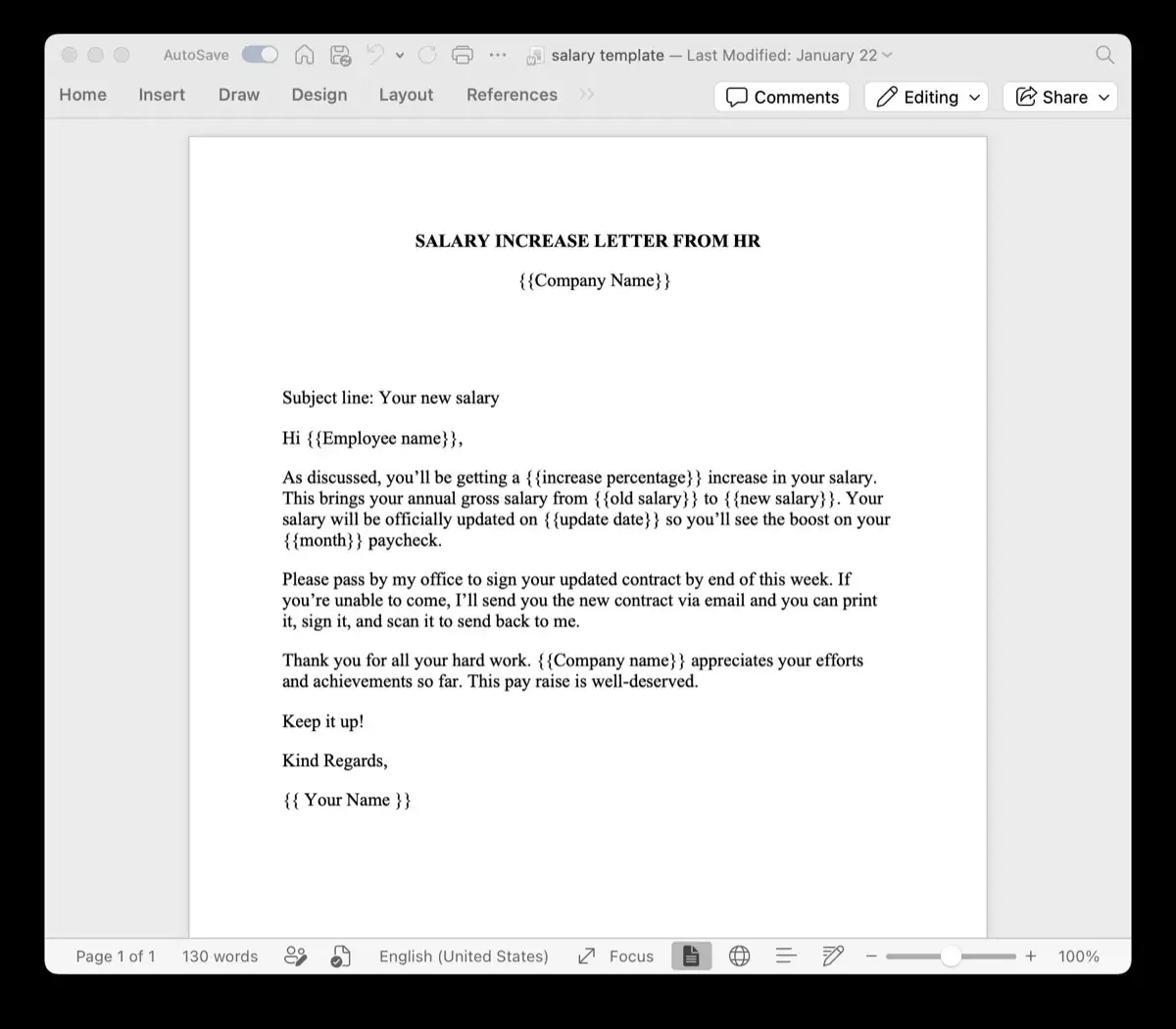
Open Microsoft Word (or Google Docs, then export as .docx) and write your document as you normally would. Wherever you want personalized data to appear, add a placeholder in double curly braces:
Dear {{first_name}} {{last_name}},

Your invoice number is {{invoice_number}}.
Total amount due: {{amount}}

Payment is due by {{due_date}}.
Unlike Mail Merge fields, TRYDOKU placeholders are plain text — they won't corrupt your formatting, and you can see exactly what the output will look like while editing the template.
Step 2 — Prepare Your Excel Data
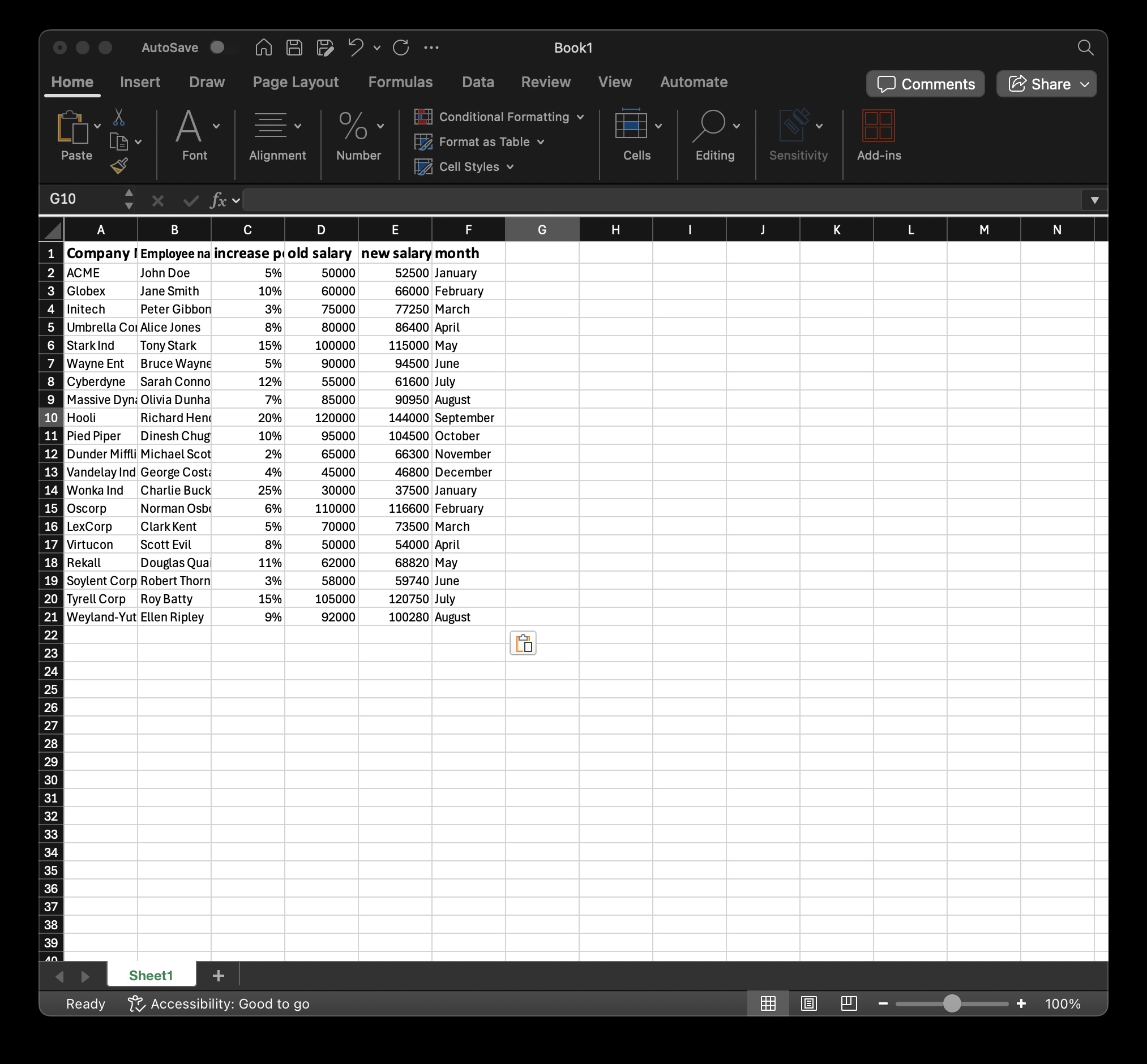
Organize your data in a standard spreadsheet. Each column header must match a placeholder name exactly:
| first_name | last_name | invoice_number | amount | due_date |
|---|---|---|---|---|
| Sarah | Connor | INV-2026-001 | €1,250.00 | 2026-07-15 |
| James | Wilson | INV-2026-002 | €890.00 | 2026-07-15 |
| Maria | García | INV-2026-003 | €2,100.00 | 2026-07-20 |
You can use Excel (.xlsx), CSV, or paste data directly from Google Sheets. TRYDOKU accepts all three formats.
Step 3 — Upload and Match
Upload your .docx template and your data file to TRYDOKU. The system automatically detects your placeholders and maps them to the matching spreadsheet columns. If a column name doesn't match perfectly, you can fix it with a single click in the built-in data editor — no need to go back to Excel.
Step 4 — Generate and Download
Click "Generate". TRYDOKU produces one document per row — 3 rows means 3 documents, 500 rows means 500 documents. All files are packaged in a single ZIP archive. Choose between:
- Word (.docx) — Fully editable, with all original formatting preserved
- PDF — Print-ready, tamper-proof, professional
Speed benchmark: 100 documents generate in under 5 seconds on our optimized backend.
TRYDOKU vs Mail Merge: Side-by-Side Comparison
| Feature | Word Mail Merge | TRYDOKU |
|---|---|---|
| Setup time | 15–30 minutes (wizard + troubleshooting) | Under 2 minutes |
| Output formats | .docx only | .docx + PDF |
| Bulk generation | One-by-one or VBA macro | All documents in one click |
| Formatting preservation | Frequently breaks fonts and tables | 100% preservation — fonts, colors, tables, images |
| Data sources | Excel, Access, Outlook Contacts | Excel, CSV, Google Sheets, paste from clipboard |
| Data validation | No — silent failures | Yes — highlights mismatches before generating |
| Installation required | Yes (Microsoft Office desktop) | No — browser-based |
| Dynamic tables / loops | Not supported | Supported via loop tags |
| API access | None | REST API for programmatic generation |
| Data security | Files stored locally | EU-hosted: automated 24 to 72 hour deletion (GDPR compliant) |
| Price | Requires Microsoft 365 license | Pay-as-you-go with free credits included |
Real-World Use Cases
Teams switch from Mail Merge to TRYDOKU for documents where accuracy and formatting matter:
Finance & Accounting
- Invoices — Generate hundreds of branded invoices from a single Excel export. Each one preserves your company logo, table formatting, and payment terms.
- Financial reports — Produce monthly budget variance reports or expense summaries per department, per cost center.
Human Resources
- Offer letters — Personalize salary, start date, job title, and manager name across 50+ new hires at once.
- Employee contracts — Generate contracts with specific terms per employee, preserving legal formatting.
- Onboarding packets — Create welcome documents with role-specific information.
Legal & Compliance
- NDAs and MSAs — Fill in company name, effective dates, and jurisdiction-specific clauses from a spreadsheet of counterparties.
- Compliance audit reports — Standardize audit documentation across multiple departments.
Sales & Operations
- Proposals and quotes — Personalize pricing, client details, and scope of work without copying and pasting between documents.
- Status reports — Generate weekly or monthly project updates from a data export.
Browse ready-to-use templates for all these use cases in our Template Gallery.
Advanced Features You Won't Find in Mail Merge
Dynamic Tables with Loop Tags
Need line items in an invoice? Mail Merge can't repeat table rows dynamically. TRYDOKU can. Wrap a table row in loop tags, and it clones the row for every item in your data array:
{> items }}
| {{description}} | {{quantity}} | {{unit_price}} | {{total}} |
{< items }}
Learn more in our Dynamic Loops guide.
REST API for Automation
Integrate document generation into your existing systems. Send an API request with your template and data, receive the generated document in the response. Perfect for CRM integrations, automated workflows, and connecting with tools like n8n or Zapier.
Browser-Based Data Editor
Spot a typo in row 47? Fix it directly in TRYDOKU's built-in spreadsheet editor before generating — no need to download, edit in Excel, and re-upload.
Automated File Deletion
Your uploaded data and generated documents are processed securely in Frankfurt (EU) and automatically deleted within 24 to 72 hours. Nothing is retained permanently on our servers. Learn more about our security practices.
Getting Started: Free Credits Included
TRYDOKU uses a pay-as-you-go model. Every new account includes free document credits — enough to test the full workflow with real data before spending anything. No credit card required to sign up.
- Create a free account (takes 30 seconds)
- Upload a Word template with
{{placeholders}} - Import your Excel data
- Generate your first batch of documents
If you're currently using Mail Merge for anything more than a simple letter, you'll immediately see the difference in speed, reliability, and output quality.
Frequently Asked Questions
Can I use my existing Word templates?
Yes. Upload any .docx file. Just add {{placeholder}} variables where you want dynamic data to appear. All your existing formatting — fonts, colors, tables, images, headers, footers — is preserved exactly.
What data formats does TRYDOKU accept?
Excel (.xlsx), CSV, and data pasted directly from Google Sheets or any spreadsheet application.
Is there a limit on the number of documents?
No hard limit. Generate 10 or 10,000 documents in a single batch. The system is optimized for bulk generation — 100 documents typically complete in under 5 seconds.
Is my data secure?
Yes. TRYDOKU is hosted in Frankfurt, Germany (EU) with automated 24 to 72 hour deletion of generated batch artifacts. We are fully GDPR compliant.
Do I need to install any software?
No. TRYDOKU runs entirely in your browser. No plugins, no desktop software, no IT approval needed.
How much does it cost?
TRYDOKU uses pay-as-you-go pricing. Every new account gets free credits to test the platform. No monthly subscription required — view pricing details.