Best Mail Merge Alternative for Mac: Batch Document Automation Without Windows Office

If you work in operations, HR, or finance on a Mac, you may have run into limitations with Microsoft Office for macOS. Mail Merge is one example: Word for Mac lacks key COM automation features, has trouble with database connections, and encounters syntax errors or permission-related crashes when running Windows VBA macros.
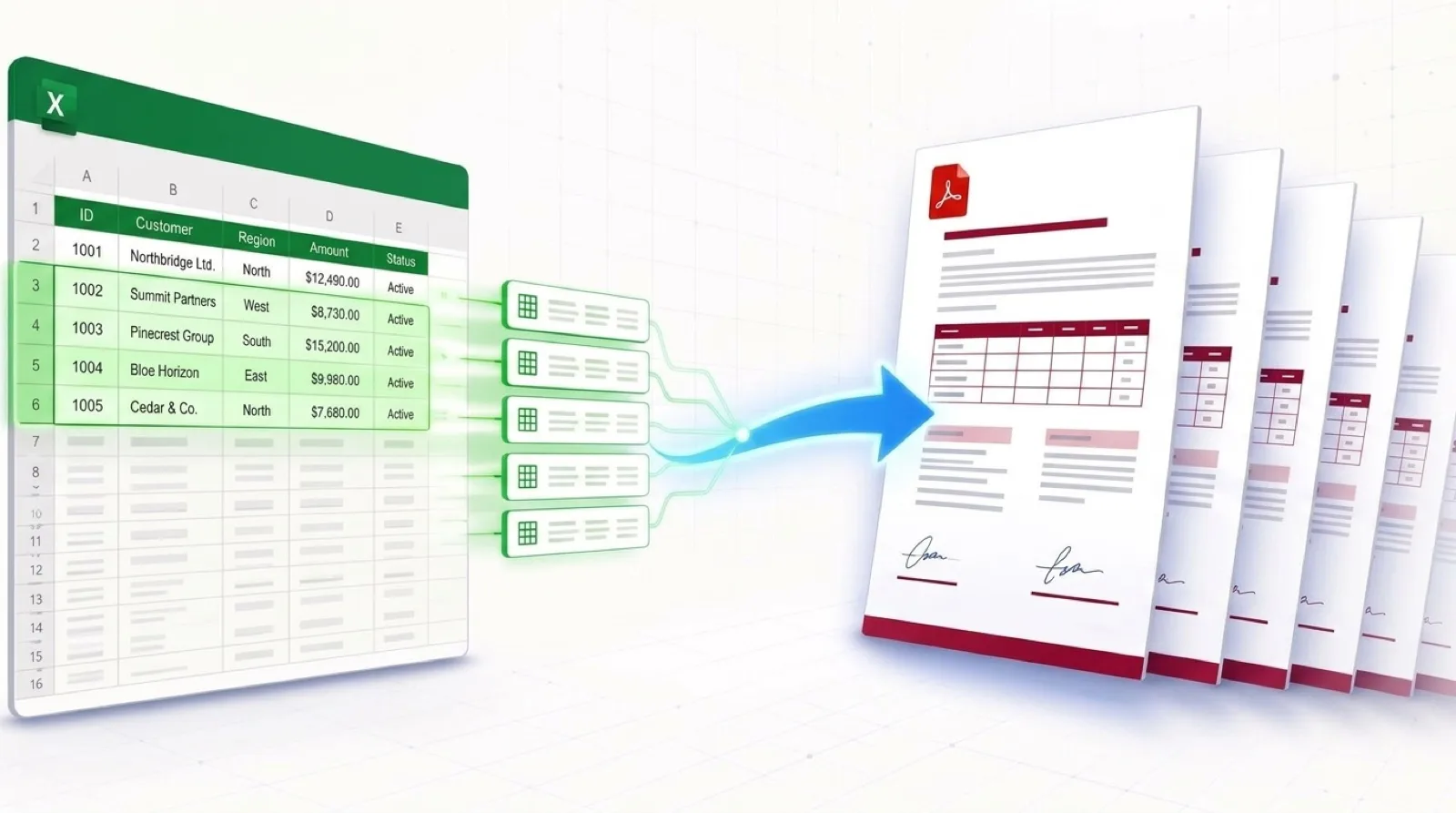
If your team needs a mail merge alternative for Mac, this guide explains the common problems on macOS and shows how TRYDOKU lets you generate hundreds of Word and PDF files in Safari or Chrome.
The Frustrations of Word Mail Merge on macOS
Mac users merging Excel data into Word documents often run into four problems:
- Broken ODBC / SQL Data Connections: Word for Mac frequently throws errors when attempting to link directly to an active
.xlsxworkbook, requiring users to export their data as CSV instead. - Missing VBA & Macro Parity: Most internet tutorials for splitting mail merges into separate files rely on Windows-only VBA API calls (such as
ActiveDocument.MailMerge.DataSource) that fail or freeze on macOS due to sandboxing restrictions. - Outlook Dependency for Email Dispatch: Microsoft Word for Mac requires desktop Microsoft Outlook configured as your default mail client; it does not integrate with Apple Mail or modern browser-based webmail (Gmail, Fastmail).
- No Native Individual PDF Export: Just like on Windows, Word for Mac merges all output records into one giant file rather than separate, individual PDF files.
If you're comparing document editors and Office 365 alternatives for macOS, see our review of the 5 best Microsoft Word alternatives in 2026.
Comparing Document Automation on macOS
| Feature | Word for Mac Mail Merge | Apple Pages Mail Merge | TRYDOKU |
|---|---|---|---|
| Data Sources Supported | Local Excel / CSV (Buggy ODBC) | Apple Contacts / Numbers only | Excel (.xlsx), CSV, Google Sheets |
| Output Formats | Single combined doc or print | Single continuous export | Batch ZIP of individual DOCX & PDF |
| Dynamic Repeating Tables | ❌ Broken / Unsupported | ❌ Unsupported | ✅ Native {> items }} loops |
| Cross-Platform Collaboration | Mac desktop only | Apple ecosystem only | Any browser (Mac, PC, Linux) |
| Setup Complexity | High (frequent connection errors) | Moderate | None (Upload & generate) |
How to Run Batch Document Automation on Mac with TRYDOKU
TRYDOKU runs in the cloud, so the same features are available on macOS, Windows, Linux, and iPadOS.
Step 1: Design Your Template in Word or Apple Pages
Create your document in Microsoft Word for Mac or export a .docx file from Apple Pages. Add your corporate letterhead, custom Apple typography, headers, and footers.
Where recipient data belongs, insert placeholder tags:
CONSULTING PROPOSAL

Prepared for: {{Client_Name}}
Company: {{Client_Organization}}
Scope of Work: {{Engagement_Scope}}
Estimated Budget: {{Budget_Estimate}}
Prepared by: {{Consultant_Name}}
Step 2: Prepare Your Excel or Numbers Spreadsheet
Make sure your spreadsheet has column headers that match your template placeholders (Client_Name, Engagement_Scope, etc.). If you use Apple Numbers, simply export your table to Excel (.xlsx) or CSV. You can also format your spreadsheet tables using our free Excel to Word tool.
Step 3: Upload and Map in Safari or Chrome
- Open TRYDOKU in Safari, Chrome, or your favorite Mac browser.
- Upload your
.docxtemplate and your spreadsheet. - TRYDOKU automatically matches column headers to your template variables. Review the mapping table to check that every field is matched.
Step 4: Download Your Individual Documents
Select whether you want editable Word files (.docx), secure vector PDFs, or both, and click Generate.
Within seconds, TRYDOKU creates your documents and saves them as a ZIP archive in your Mac's Downloads folder. Each document is a separate, formatted file with a name taken from your spreadsheet data.
Frequently Asked Questions
Does this require Microsoft Office to be installed on my Mac?
No. TRYDOKU runs in your browser, so you don't need Microsoft Office, Microsoft 365, or desktop Outlook installed.
Can I use Google Sheets or CSV exports from Numbers?
Yes. TRYDOKU accepts standard .xlsx workbooks, CSV files, and Google Sheets exports.
Does TRYDOKU preserve Apple-specific fonts like San Francisco or New York?
Standard system fonts and embedded font styles in your .docx template render cleanly in both DOCX and PDF outputs.