DOCX Template to PDF API: High-Performance Document Generation for Developers

Generating precisely formatted PDFs from application data can take considerable engineering work. Teams often maintain headless LibreOffice clusters in Docker or spend hundreds of hours building HTML and CSS layouts for Chromium or Puppeteer, then fixing them when they break.
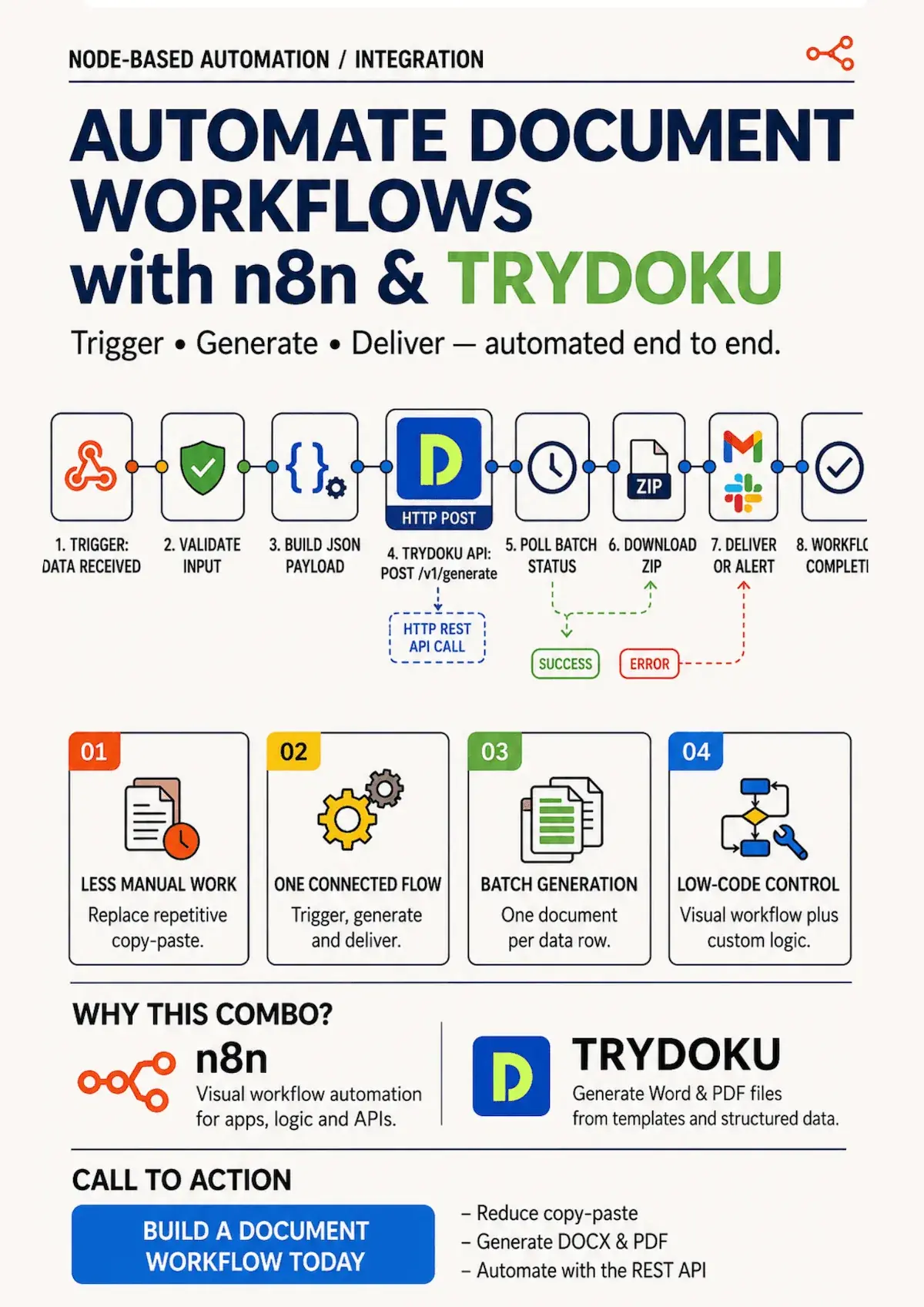
A DOCX template to PDF API offers another approach. Designers and legal teams create templates in Microsoft Word, and backend engineers fill them with data and generate vector PDFs through a single, low-latency REST API call.
This guide covers production problems with headless LibreOffice and HTML-to-PDF tools, explains how TRYDOKU's document API works, and shows how to add PDF generation to a Node.js, Python, or Go service in minutes.
Common Problems with PDF Generation Tools
Teams adding document generation to an application typically consider two approaches:
1. Headless LibreOffice / Unoconv
Running headless LibreOffice in containers to convert Word templates to PDF brings several maintenance challenges:
- Large Container Images: Docker images require gigabytes of dependencies and fonts.
- Process Crashes: LibreOffice is single-threaded and prone to deadlocks, zombie processes, and memory leaks when handling concurrent workloads.
- Slow Cold Starts: Cold-start latency often exceeds 5 to 10 seconds, making it unsuitable for serverless or real-time user-facing flows.
2. Headless Chrome / Puppeteer HTML-to-PDF
Rendering HTML and CSS templates with Puppeteer brings a different set of problems:
- No Visual Template Editor: Business staff, lawyers, and accountants cannot edit raw HTML/CSS, so developers have to update the markup for every wording change.
- Broken Page Breaks: CSS paged media (
@page,break-inside: avoid) behaves inconsistently across browser releases, causing orphaned headers and clipped table rows. - High Resource Use: Chromium instances use large amounts of CPU and RAM on your servers.
TRYDOKU handles this through a cloud REST API that accepts Word .docx templates and JSON data, then returns formatted PDFs in milliseconds.
API Architecture Comparison
| Capability | Headless LibreOffice Cluster | Headless Chromium (Puppeteer) | TRYDOKU REST API |
|---|---|---|---|
| Template Maintenance | Microsoft Word (.docx) | Raw HTML, CSS, Tailwind | Microsoft Word (.docx) |
| Server Infrastructure | Heavy Docker nodes | Heavy Chromium containers | Serverless Cloud API (No maintenance) |
| Response Latency | 3,000–8,000 ms | 2,000–5,000 ms | Sub-second processing |
| Dynamic Table Loops | Unstable macro plugins | Handlebars / Mustache loops | Native {> items }} loop syntax |
| Data Residency & Security | Self-managed | Self-managed | Frankfurt, Germany (EU GDPR compliant) |
Integrating TRYDOKU's DOCX to PDF API
You can call TRYDOKU with a few lines of code using a standard HTTP client. For endpoint details, authentication, and webhook signatures, see our API Documentation.
Step 1: Design Your Template with Placeholders
Create your document in Microsoft Word (.docx) using simple, readable placeholder tags:
INVOICE: {{invoice_number}}
Date: {{issue_date}}
Customer: {{customer_name}}

Total: {{total_amount}}
Step 2: Send a POST Request to /v1/generate
You can pass either a pre-uploaded template ID or provide a base64-encoded .docx file on the fly:
{
  "template_id": "tpl_enterprise_invoice_v1",
  "output_format": "pdf",
  "data": [
    {
      "invoice_number": "INV-2026-9041",
      "issue_date": "2026-09-18",
      "customer_name": "Nordic Solutions AB",
      "total_amount": "€14,500.00"
    }
  ]
}
Example: Node.js / TypeScript Integration
import axios from 'axios';
import fs from 'fs';

async function generatePdf() {
  const response = await axios.post('https://api.trydoku.com/v1/generate', {
    template_id: 'tpl_enterprise_invoice_v1',
    output_format: 'pdf',
    data: [
      {
        invoice_number: 'INV-2026-9041',
        issue_date: '2026-09-18',
        customer_name: 'Nordic Solutions AB',
        total_amount: '€14,500.00'
      }
    ]
  }, {
    headers: {
      'Authorization': `Bearer ${process.env.TRYDOKU_API_KEY}`,
      'Content-Type': 'application/json'
    },
    responseType: 'arraybuffer'
  });

  fs.writeFileSync('invoice.pdf', response.data);
  console.log('PDF generated successfully!');
}

generatePdf();
For API credit allowances and pay-as-you-go plans, see our pricing page. For loops, conditional statements, and other template options, visit our features page.
Frequently Asked Questions
Can I generate multiple documents in a single API request?
Yes. Passing an array of multiple data objects to the data parameter will generate individual PDFs bundled into a single ZIP response or trigger an asynchronous webhook callback.
What is the maximum template file size supported by the API?
TRYDOKU supports Word templates up to 50MB in size, allowing for high-resolution graphics, embedded fonts, and multi-page technical manuals.
How does TRYDOKU handle sensitive customer data?
All API traffic is encrypted using TLS 1.3. Data and generated documents are processed in temporary memory and automatically deleted from the temporary cache within 24 to 72 hours, in line with EU GDPR standards.