Working with Word Documents on iOS: Top iPhone & iPad Apps and Workflows
Working with business documents on a phone or tablet is now a routine part of the day. You might review an employment contract on the way to the airport, adjust an invoice line item between client meetings, or inspect PDF form fields while traveling. The right mobile app makes each task easier.
This guide compares top-rated apps for working with Word documents on iOS. It covers file compatibility, editing features, and pricing, with practical tips and workflows for your phone or tablet.
Top Recommended Mobile Apps
1. Microsoft Word for iOS
Best For: Full DOCX fidelity, track changes, and iPadOS keyboard/trackpad multitasking
Microsoft Word for iPhone and iPad is optimized for Apple hardware, featuring full support for iPadOS split-screen multitasking, Stage Manager, and external trackpads. On iPhone, Mobile View reflows text to fit small screens while preserving underlying margins. It supports detailed change tracking, margin settings, and direct OneDrive integration.
Pros:
- Pixel-perfect DOCX formatting, table alignment, and font parity
- Exceptional iPadOS keyboard shortcuts and Apple Pencil handwriting annotation
- Deep integration with the iOS Files app and iCloud Drive
Cons:
- Editing on iPad models with screens larger than 10.1" requires Microsoft 365
- Relatively large app download size (350+ MB)
Pricing: Free for iPhone and 10.1" iPads; Microsoft 365 required for 11" and 12.9" iPad Pro models.
2. Apple Pages for iOS
Best For: Native Apple Silicon performance, Apple Pencil markup, and stylish document design
Pre-installed on every iOS and iPadOS device, Apple Pages is a hybrid word processor and desktop publisher. It imports and exports Microsoft Word (.docx) files smoothly while providing sophisticated typographic controls, image masking, and Apple Pencil Scribble support. iCloud sync makes documents available instantly across Mac, iPad, and iPhone.
Pros:
- Fast, fluid performance with zero battery overhead
- Screen View feature dynamically formats documents for effortless reading on iPhone
- No subscriptions, ads, or account creation required
Cons:
- Exporting complex layout elements to .docx can sometimes convert text boxes into images
- Fewer specialized enterprise review features than Microsoft Word
Pricing: Free on all iOS and iPadOS devices.
3. Google Docs for iOS
Best For: Collaborative team editing, sharing via link, and cross-platform consistency
Google Docs for iOS lets teams using Mac, Windows, Android, and iOS devices collaborate without compatibility problems. It handles DOCX files directly from Google Drive, lets contributors leave inline comments and suggestions, and supports offline editing with background cloud synchronization when you reconnect.
Pros:
- Effortless team collaboration with real-time co-authoring
- Zero-setup sharing via permissions and secure link generation
- Reliable offline file caching
Cons:
- Limited typographic styling options compared to Apple Pages
- Does not support custom font installation via iOS configuration profiles
Pricing: Free with 15 GB of Google cloud storage.
4. Zoho Writer for iOS
Best For: Distraction-free drafting, document review modes, and Apple Pencil signing
Zoho Writer delivers a modern, distraction-free writing environment on iPhone and iPad. It features advanced review modes that allow leaders to lock specific paragraphs against unauthorized changes, tracks edits with detailed timestamps, and integrates with Zoho Sign to sign contracts digitally and immediately from an iPad.
Pros:
- Simple, comfortable interface that helps you focus
- Granular review workflows with paragraph locking
- Smooth Apple Pencil signature integration
Cons:
- Works best with the wider Zoho WorkDrive ecosystem
- Requires a Zoho account to sync across non-Apple devices
Pricing: Free for individuals; business team plans start at $3/user/month.
5. ONLYOFFICE Documents for iOS
Best For: Native OpenXML accuracy and Nextcloud/ownCloud private cloud syncing
ONLYOFFICE Documents brings the precision of desktop Office Open XML editing to iOS. It connects to WebDAV and self-hosted cloud storage (Nextcloud, ownCloud, Seafile), so teams with strict data sovereignty requirements can review Word documents on mobile devices without routing files through third-party servers.
Pros:
- High fidelity with native Microsoft Word formatting
- Direct connection to self-hosted private cloud repositories
- Completely free without advertisements or paid feature gates
Cons:
- Interface is denser than Apple Pages on compact iPhone screens
- Lacks Apple Pencil Scribble support
Pricing: Free.
Essential Mobile Workflow Tips
- Use Screen View in Apple Pages or Mobile View in Word to read documents without pinching and zooming.
- Use iPadOS Stage Manager or Split View to drag text and tables directly from Safari into Word.
- Install custom company fonts via iOS Profiles or apps like iFont to ensure corporate DOCX files display accurately.
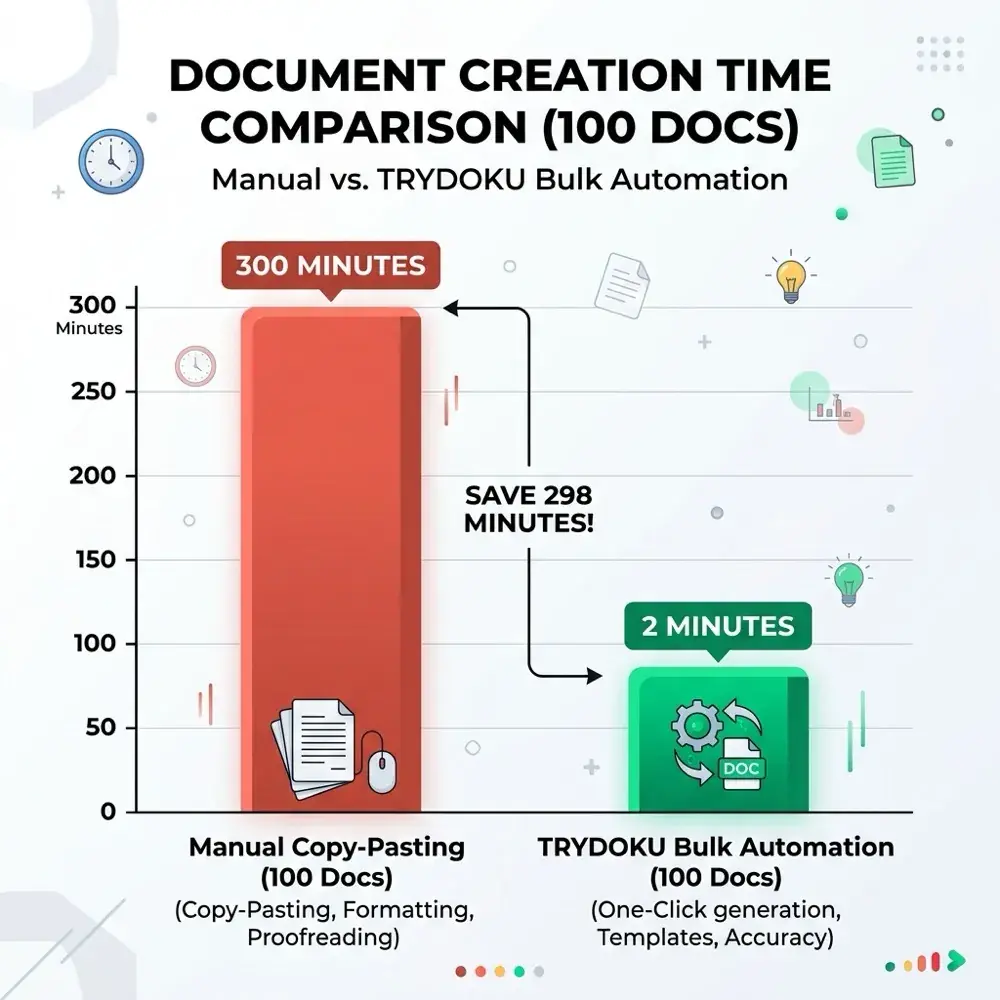
- For bulk contract generation, pair mobile template drafting with TRYDOKU's automated spreadsheet batch engine.
From Mobile Editing to Automated Batch Generation with TRYDOKU
Mobile apps work well for viewing, reviewing, and editing individual documents. Producing dozens, hundreds, or thousands of personalized invoices, certificates, contracts, or delivery notes by hand on a mobile device is not feasible.
With TRYDOKU, you can automate document creation:
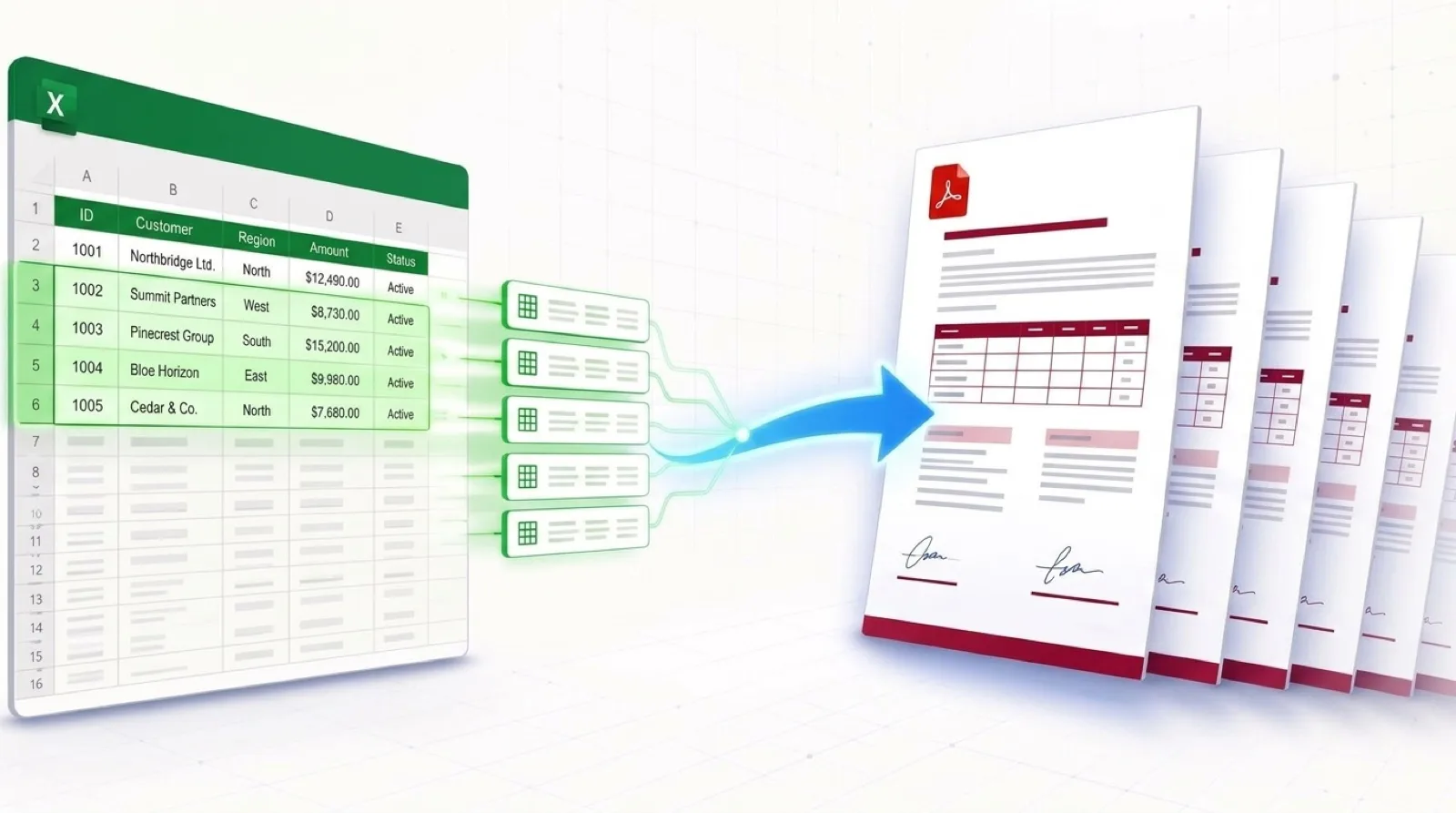
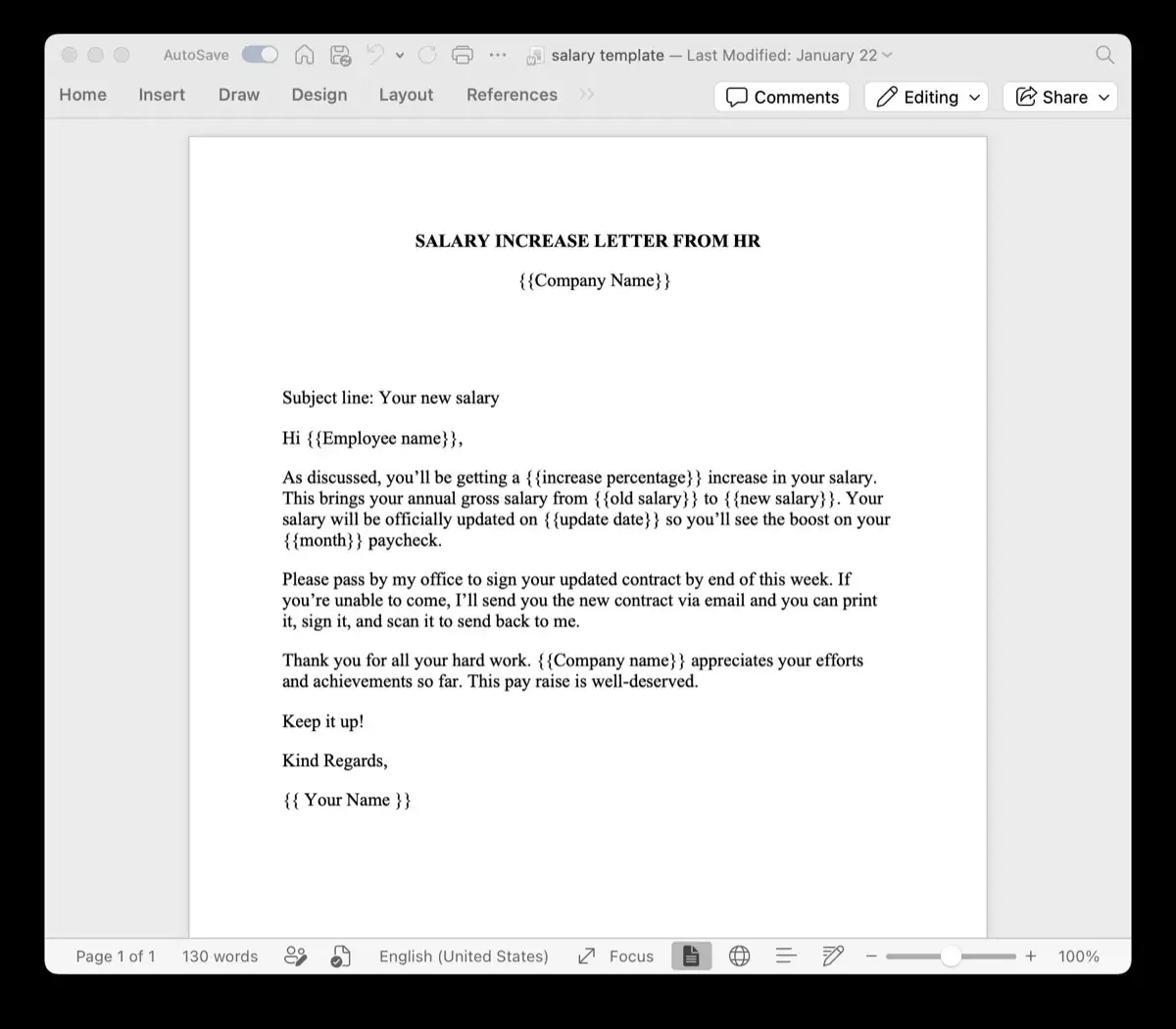
- Standard Templates: Design your layouts in Microsoft Word or Excel with placeholders such as
{{client_name}}or{{invoice_date}}. - Generate from a Spreadsheet: Upload your Excel (
.xlsx) or CSV spreadsheet to generate hundreds of formatted documents in seconds. - Client-Side Privacy: Use TRYDOKU's suite of free, 100% in-browser Document Utilities to inspect metadata, convert files, and merge documents with zero server uploads.
- Developer REST API: Connect document generation to your existing apps and microservices through our Developer REST API.
See our plans on the pricing page or create a free TRYDOKU account to get started with free starter credits.