Working with Word Documents on Android: Best Apps, Tips & Mobile Workflows
Working with business documents on a phone or tablet is now a routine part of the day. You might review an employment contract on the way to the airport, adjust an invoice line item between client meetings, or inspect PDF form fields while traveling. The right mobile app makes each task easier.
This guide compares top-rated apps for working with Word documents on Android. It covers file compatibility, editing features, and pricing, with practical tips and workflows for your phone or tablet.
Top Recommended Mobile Apps
1. Microsoft Word for Android
Best For: Maximum .docx fidelity, layout preservation, and OneDrive sync
The official Microsoft Word app displays DOCX files much as they appear on a desktop. On Android phones and tablets, it preserves complex table borders, nested headers and footers, tracked changes, and embedded fonts with high accuracy. Reflow View automatically reorganizes multi-column desktop layouts into a single column that is comfortable to read on a phone.
Pros:
- Flawless rendering of complex DOCX elements and tables
- Integrated OneDrive, SharePoint, and Google Drive cloud connections
- Mobile Reflow mode for reading on narrow smartphone screens
Cons:
- Screen sizes 10.1" and larger require an active Microsoft 365 subscription to edit
- High memory usage on budget Android devices
Pricing: Free for viewing and basic editing on screens under 10.1"; Microsoft 365 subscription required for advanced editing and larger tablets.
2. Google Docs for Android
Best For: Real-time collaborative editing, offline caching, and Google Drive integration
Google Docs makes it easy to edit Word documents collaboratively on a mobile device through Google Drive. You can open, edit, and export DOCX files directly without mandatory conversion, leaving threaded comments and suggested edits from your phone. Built-in voice typing uses Google speech-to-text to help you dictate draft paragraphs quickly while on the move.
Pros:
- Instant multi-user live editing with presence cursors
- Robust offline mode with automatic background sync
- Clean, responsive interface with minimal battery drain
Cons:
- Occasional pagination and margin shifts in complex Word layouts
- Fewer typographical controls compared to native desktop word processors
Pricing: Free with 15 GB of shared Google Drive storage.
3. WPS Office for Android
Best For: All-in-one office suite, lightweight performance, and built-in document tools
WPS Office combines Word processing (Writer), spreadsheets, presentations, and PDF viewing in a single Android app under 100 MB. It features a dedicated Mobile View that dynamically reflows text, integrated camera scanning to convert paper contracts into editable text, and direct support for external cloud storage providers including Dropbox, Box, and OneDrive.
Pros:
- Comprehensive all-in-one document suite with minimal storage footprint
- Convenient quick-formatting toolbar optimized for use with one thumb
- Built-in document scanner and text extraction
Cons:
- Free tier displays full-screen banner advertisements
- Advanced PDF export features require premium subscription
Pricing: Free with in-app ads; WPS Pro available at $3.99/month or $29.99/year.
4. Collabora Office (LibreOffice Engine)
Best For: Privacy-first, open-source document editing without corporate telemetry
Built on the established LibreOffice engine, Collabora Office provides open-source DOCX, ODT, and DOC editing on Android. It operates completely independently of proprietary tracking systems, making it a strong option for organizations and professionals handling confidential agreements on mobile devices.
Pros:
- 100% open-source engine with zero cloud vendor lock-in
- Native support for both Microsoft Office (.docx) and OpenDocument (.odt) standards
- No telemetry, user accounts, or forced advertising
Cons:
- Interface uses desktop-style toolbars rather than Android’s Material Design
- Slightly slower cold startup times on older hardware
Pricing: Free and open source.
5. ONLYOFFICE Documents for Android
Best For: Strict OpenXML compatibility and self-hosted cloud connectivity (Nextcloud/ownCloud)
ONLYOFFICE Documents uses ISO-compliant Office Open XML as its native internal data format, ensuring that Word documents edited on Android look identical when opened on desktop workstations. It connects directly to self-hosted Nextcloud, ownCloud, and Seafile servers, keeping enterprise mobile workflows private from start to finish.
Pros:
- High visual rendering accuracy for tables, shapes, and formulas
- Direct integration with self-hosted private cloud storage
- Ad-free and completely free for personal and commercial mobile use
Cons:
- Requires internet connectivity for live co-editing features
- Reflow view is less automated than Google Docs on small phone screens
Pricing: Free with no advertisements.
Essential Mobile Workflow Tips
- Enable Reflow / Mobile View when reading dense legal contracts to avoid horizontal scrolling.
- Use Android keyboard dictation (Gboard voice typing) for rapid drafting on mobile screens.
- Save documents to synced cloud folders (OneDrive, Google Drive, Nextcloud) to resume work instantly on desktop.
- Before distributing customer-facing contracts, clean hidden author names, revisions, and printer paths using TRYDOKU's client-side Document Utilities.
From Mobile Editing to Automated Batch Generation with TRYDOKU
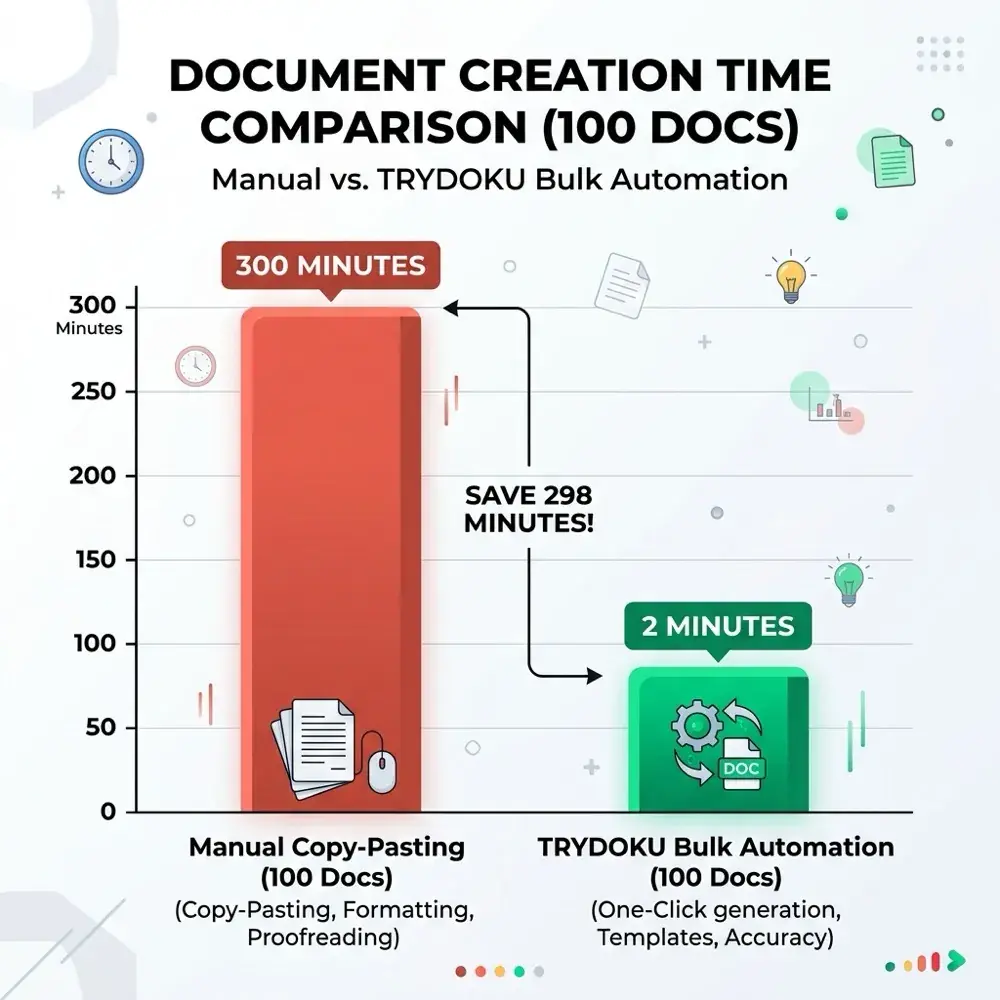
Mobile apps work well for viewing, reviewing, and editing individual documents. Producing dozens, hundreds, or thousands of personalized invoices, certificates, contracts, or delivery notes by hand on a mobile device is not feasible.
With TRYDOKU, you can automate document creation:
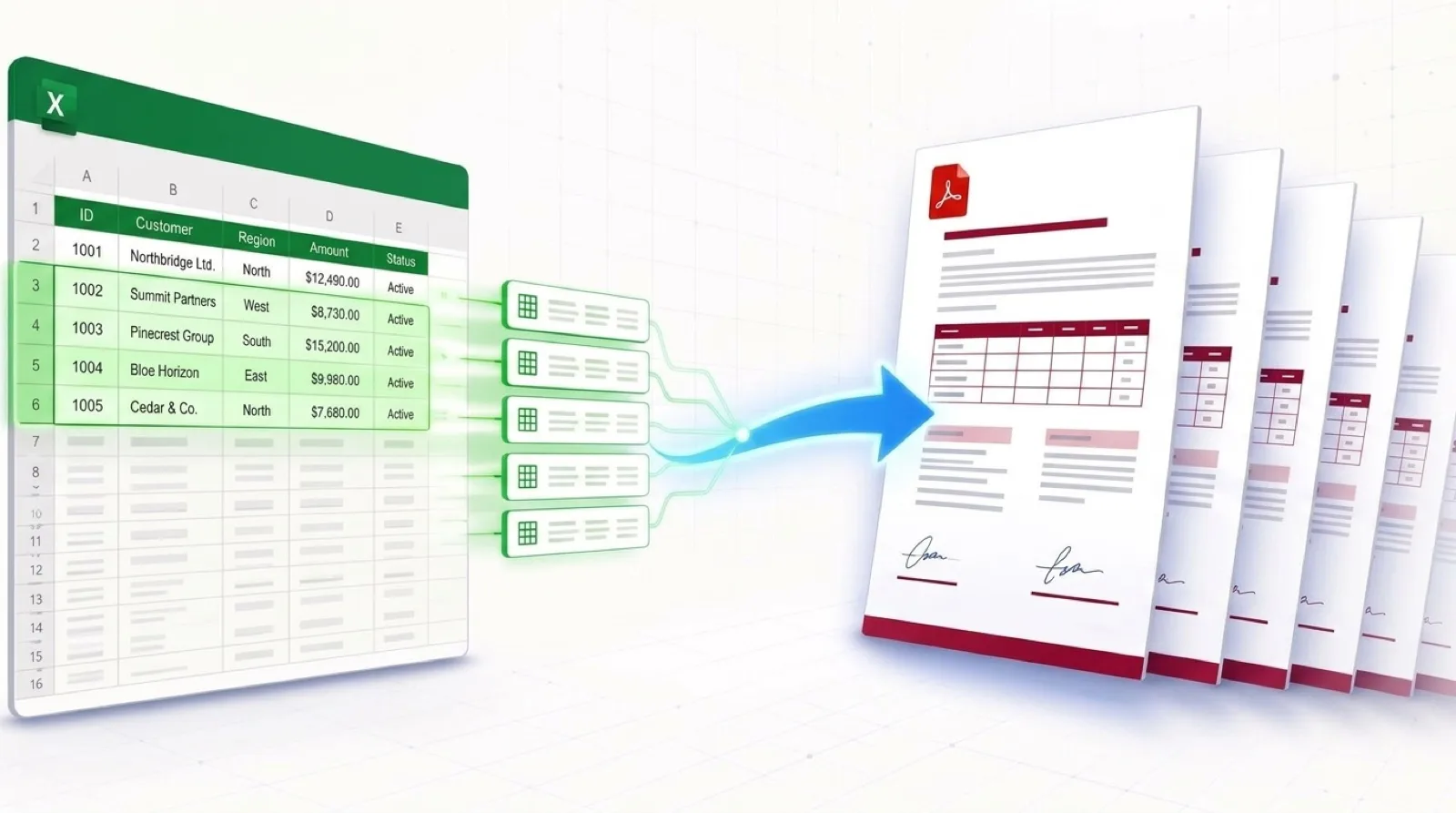
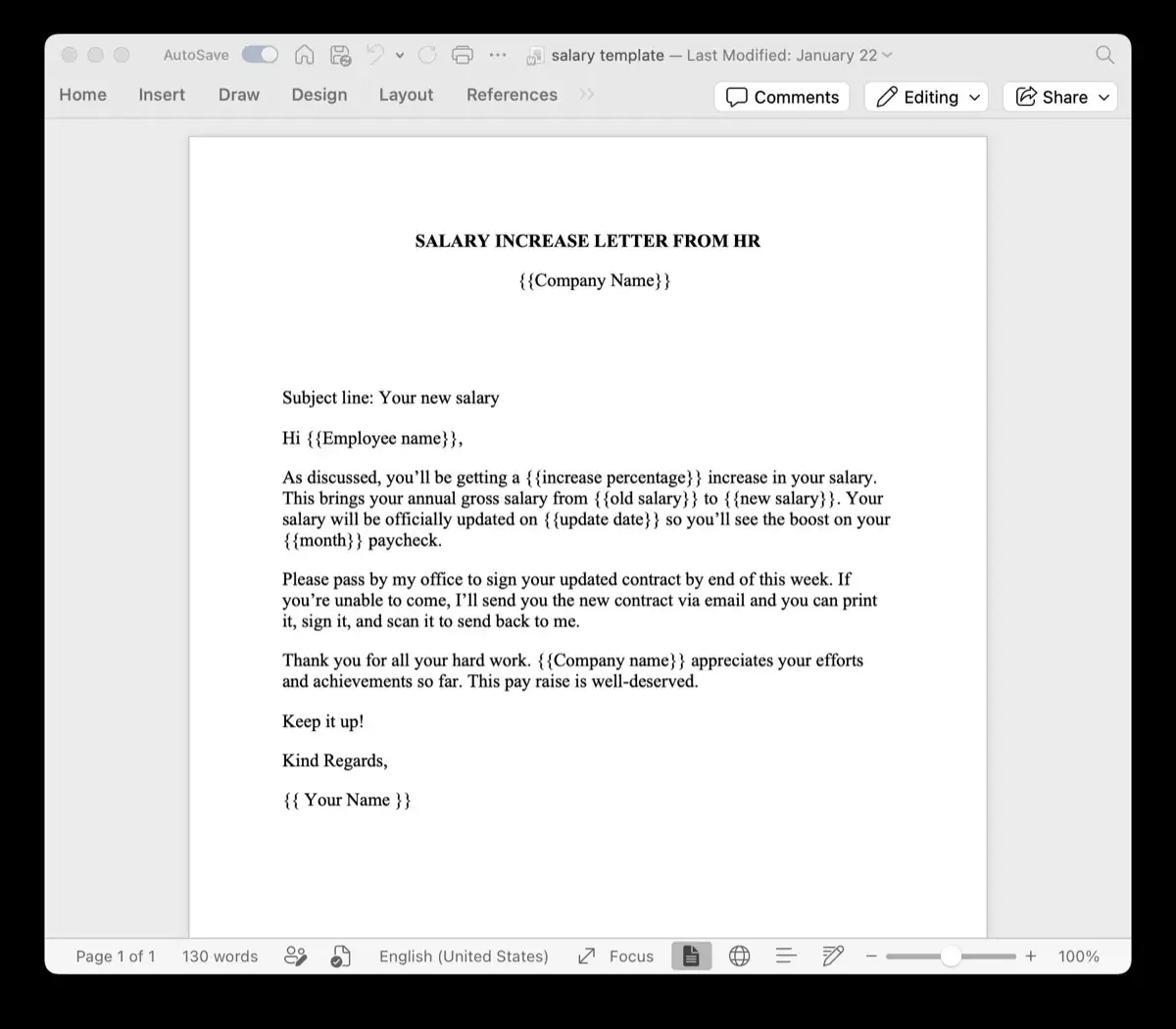
- Standard Templates: Design your layouts in Microsoft Word or Excel with placeholders such as
{{client_name}}or{{invoice_date}}. - Generate from a Spreadsheet: Upload your Excel (
.xlsx) or CSV spreadsheet to generate hundreds of formatted documents in seconds. - Client-Side Privacy: Use TRYDOKU's suite of free, 100% in-browser Document Utilities to inspect metadata, convert files, and merge documents with zero server uploads.
- Developer REST API: Connect document generation to your existing apps and microservices through our Developer REST API.
See our plans on the pricing page or create a free TRYDOKU account to get started with free starter credits.