Working with Excel Spreadsheets on iOS: Best iPhone & iPad Apps and Tips

Working with business documents on a phone or tablet is now a routine part of the day. You might review an employment contract on the way to the airport, adjust an invoice line item between client meetings, or inspect PDF form fields while traveling. The right mobile app makes each task easier.
This guide compares top-rated apps for working with Excel spreadsheets on iOS. It covers file compatibility, editing features, and pricing, with practical tips and workflows for your phone or tablet.
Top Recommended Mobile Apps
1. Microsoft Excel for iOS
Best For: Enterprise calculation fidelity, XLOOKUP, and iPadOS external display support
Microsoft Excel for iPhone and iPad is the benchmark for mobile financial modeling. It supports modern dynamic array formulas, interactive chart creation, and split-screen comparison on iPadOS. With an external display connected via Stage Manager, iPad users get a multi-window desktop spreadsheet experience with full mouse and trackpad support.
Pros:
- Pixel-perfect workbook rendering matching desktop Office 365
- Touch-friendly formula builder with autocomplete and syntax tooltips
- Camera scan feature to convert paper tables into live spreadsheet data
Cons:
- Editing on iPads larger than 10.1" requires an active Microsoft 365 subscription
- No support for running desktop VBA macros
Pricing: Free for iPhone and smaller iPads; Microsoft 365 required for 11" and 12.9" iPad Pros.
2. Apple Numbers for iOS
Best For: Visual dashboard design, freeform canvas tables, and Apple Pencil Smart Annotation
Apple Numbers treats each sheet as a blank canvas, with independent tables, charts, and media blocks arranged side by side. It imports and exports Microsoft Excel (.xlsx) files with ease and offers interactive forms on iPhone that turn table rows into mobile entry cards that are easy to fill in.
Pros:
- Freeform multi-table canvas ideal for executive dashboards and client proposals
- Mobile Forms view transforms spreadsheet rows into clean single-record forms on iPhone
- Built-in Apple Pencil handwriting calculation and handwriting conversion
Cons:
- Complex nested Excel formulas may require manual adjustment upon import
- Not designed for massive datasets exceeding 100,000 rows
Pricing: Free on all iOS and iPadOS devices.
3. Google Sheets for iOS
Best For: Live team co-authoring, cloud data synchronization, and shared link access
Google Sheets for iOS helps teams work together from different locations. Field agents, managers, and remote workers can view and update shared spreadsheets simultaneously with zero version conflicts. It includes offline caching for flights and commutes, automatically syncing edits to Google Drive when you reconnect.
Pros:
- Effortless team collaboration with real-time multi-cursor updates
- Instant file sharing with granular view/comment/edit permissions
- Lightweight app with quick startup and low battery consumption
Cons:
- Limited offline charting and advanced statistical analysis
- Fewer cell formatting options compared to Microsoft Excel
Pricing: Free with 15 GB of storage.
4. Zoho Sheet for iOS
Best For: AI-powered data insights (Zia), clean interface, and business collaboration
Zoho Sheet combines a modern spreadsheet engine with Zia, an AI analysis assistant that automatically generates pivot tables, trend graphs, and data summaries from your numbers. It supports real-time collaboration, cell locking, and full XLSX file import and export.
Pros:
- Zia AI assistant automatically identifies trends and generates chart recommendations
- Clean, ad-free mobile interface with intuitive formula picker
- Integrates with Zoho Office Suite and cloud storage providers
Cons:
- Requires a Zoho account for cross-platform cloud sync
- Smaller user community compared to Google Sheets or Excel
Pricing: Free for individual use; team plans start at $3/user/month.
5. ONLYOFFICE Documents for iOS
Best For: Privacy-compliant OpenXML calculation and Nextcloud private server integration
ONLYOFFICE Documents provides high-precision XLSX editing on iOS backed by ISO-standard Office Open XML. It connects directly to self-hosted cloud storage (Nextcloud, ownCloud), ensuring that corporate financial forecasts and customer datasets never leave your private infrastructure.
Pros:
- High compatibility with Microsoft Excel workbook formatting
- Direct WebDAV connection to enterprise on-premises cloud servers
- Completely free with zero advertisements or tracking
Cons:
- Interface is more utilitarian than Apple Numbers
- Advanced chart customization is more limited on small screens
Pricing: Free.
Essential Mobile Workflow Tips
- Use Apple Numbers Mobile Forms on iPhone to enter inventory or expense records one item at a time.
- Connect an external keyboard and mouse to your iPad for desktop-level formula editing and data sorting.
- Format dates and currencies consistently (YYYY-MM-DD) to prevent cross-platform calculation errors.
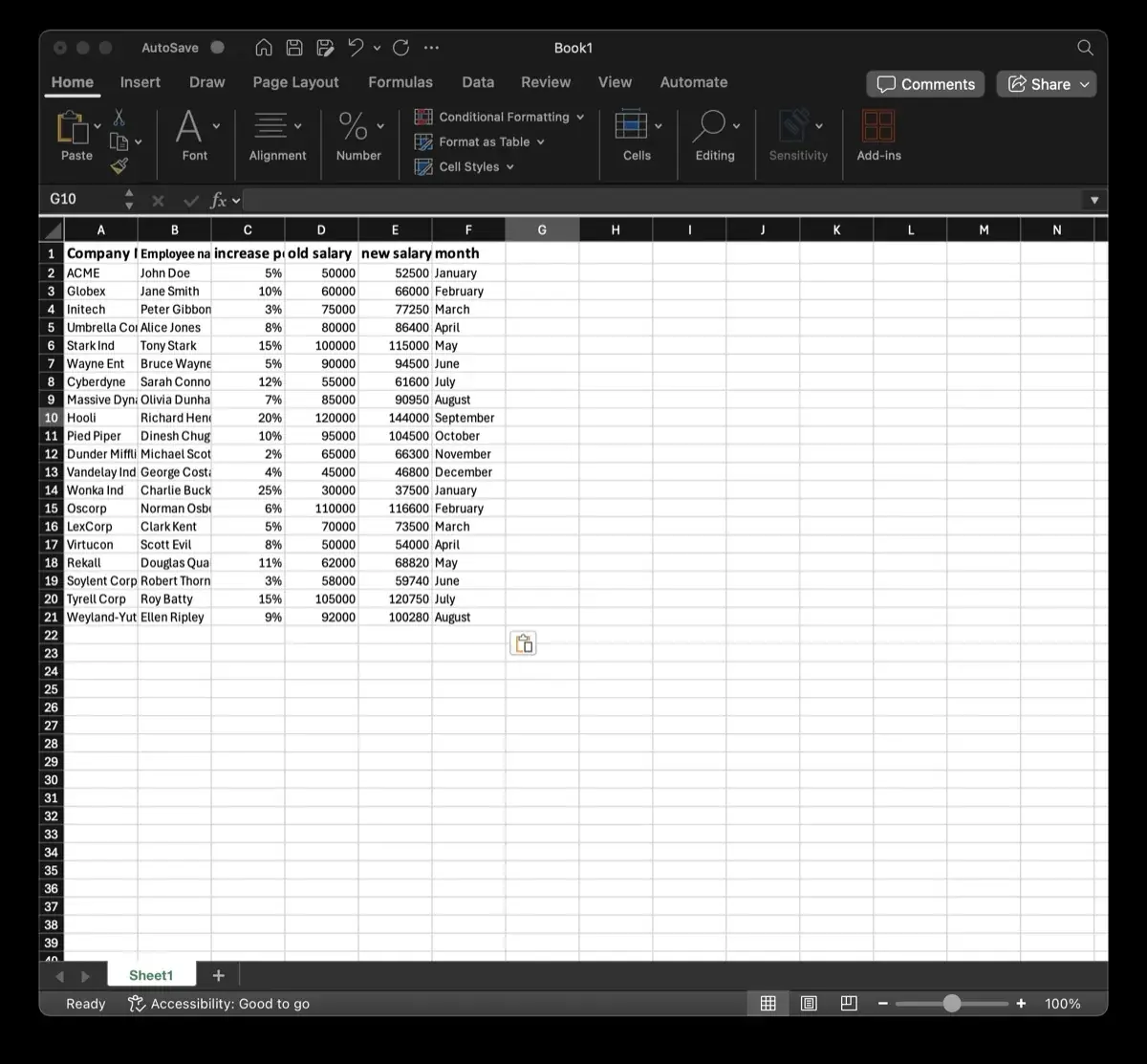
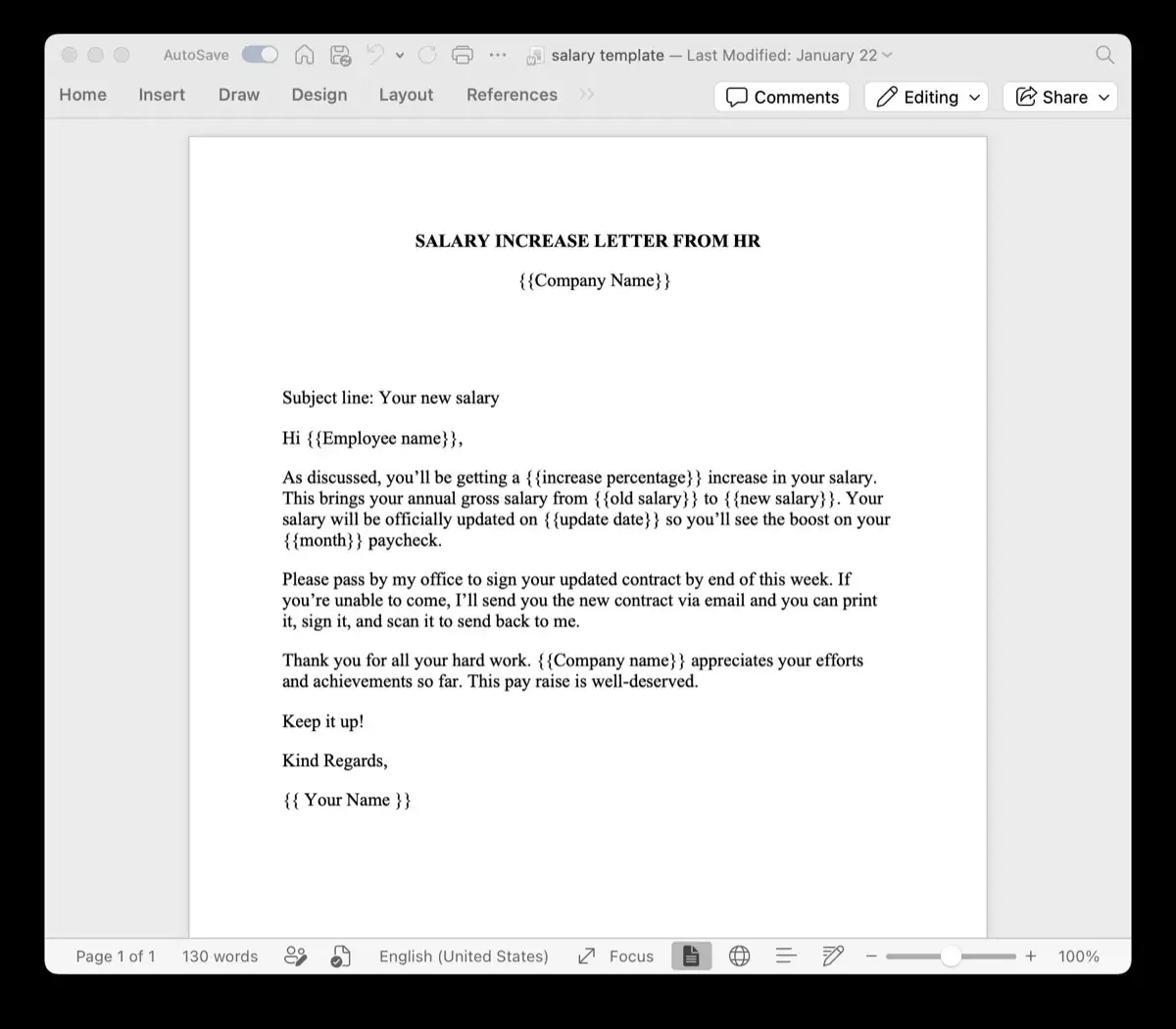
- Once your dataset is finalized, use TRYDOKU to map spreadsheet columns directly to Word templates for instant PDF batch generation.
From Mobile Editing to Automated Batch Generation with TRYDOKU
Mobile apps work well for viewing, reviewing, and editing individual documents. Producing dozens, hundreds, or thousands of personalized invoices, certificates, contracts, or delivery notes by hand on a mobile device is not feasible.
With TRYDOKU, you can automate document creation:
- Standard Templates: Design your layouts in Microsoft Word or Excel with placeholders such as
{{client_name}}or{{invoice_date}}. - Generate from a Spreadsheet: Upload your Excel (
.xlsx) or CSV spreadsheet to generate hundreds of formatted documents in seconds. - Client-Side Privacy: Use TRYDOKU's suite of free, 100% in-browser Document Utilities to inspect metadata, convert files, and merge documents with zero server uploads.
- Developer REST API: Connect document generation to your existing apps and microservices through our Developer REST API.
See our plans on the pricing page or create a free TRYDOKU account to get started with free starter credits.