Grok Bot: An AI Teammate for Automating Office Work and Document Workflows
Most office automation currently requires brittle API integrations, complex webhook configurations, or multi-step workflows built with tools such as Zapier, Make, or custom scripts. While these tools excel at structured data movement, they often hit a wall when dealing with legacy software, unstructured emails, or internal portals that lack programmatic APIs. Grok Bot from xAI introduces a completely different paradigm for workplace automation.
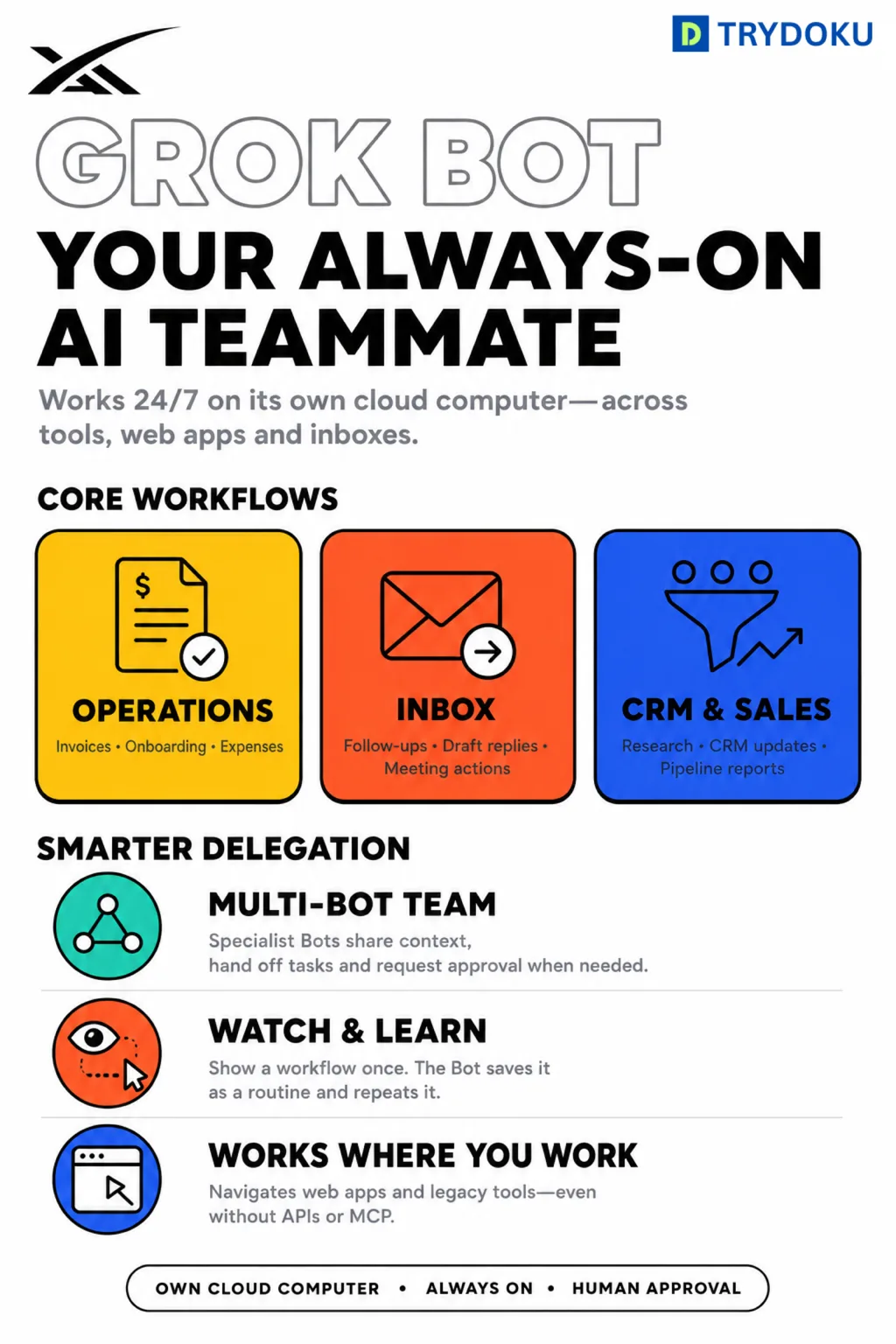
According to the official xAI announcement, Grok Bot operates as an autonomous AI teammate equipped with its own dedicated cloud computer. Rather than requiring specialized endpoints or engineering resources, it interacts with web applications, email inboxes, spreadsheets, and internal ERP systems in much the same way as a human employee—signing in, navigating graphical interfaces, entering information, and completing complex assigned tasks.
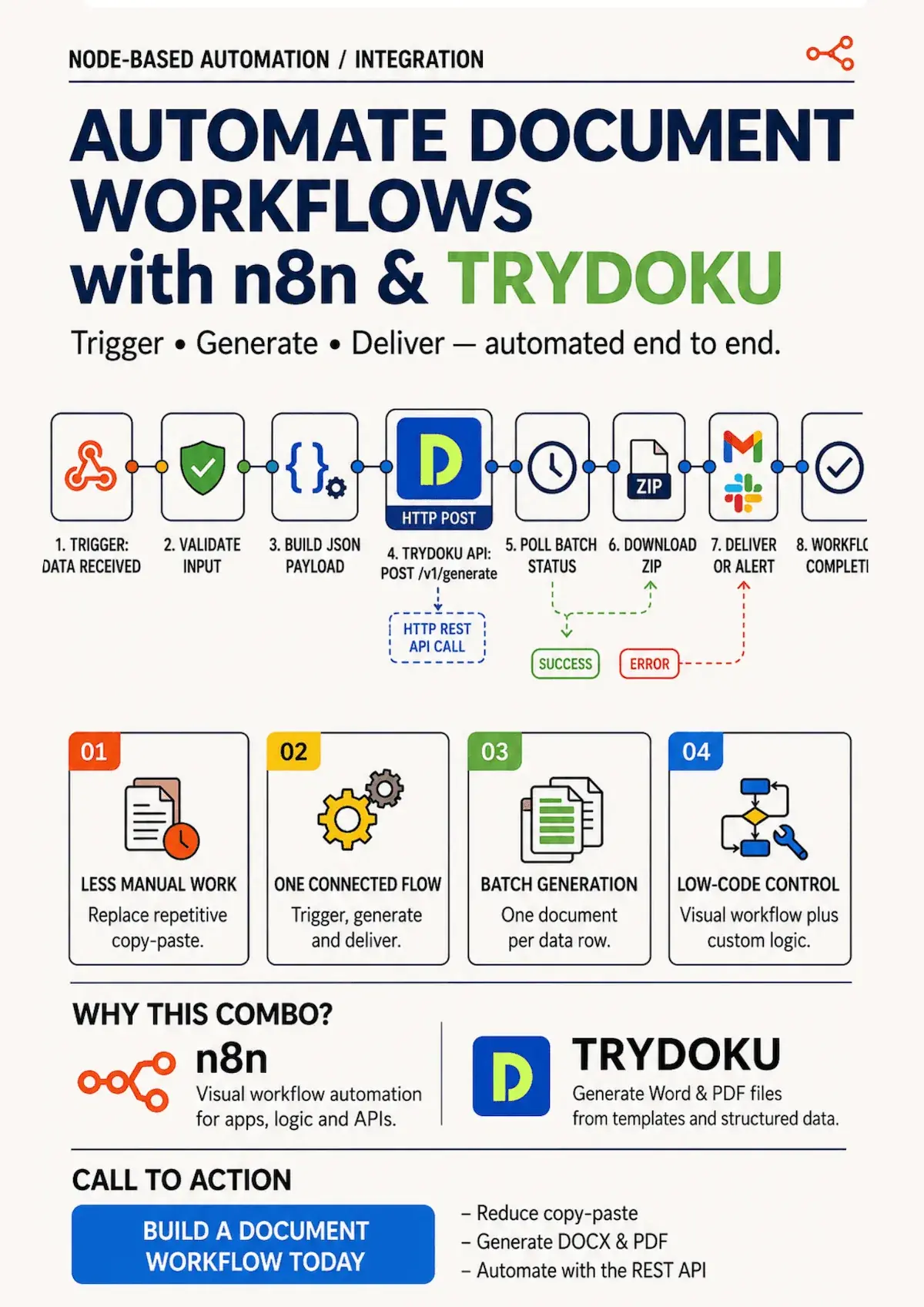
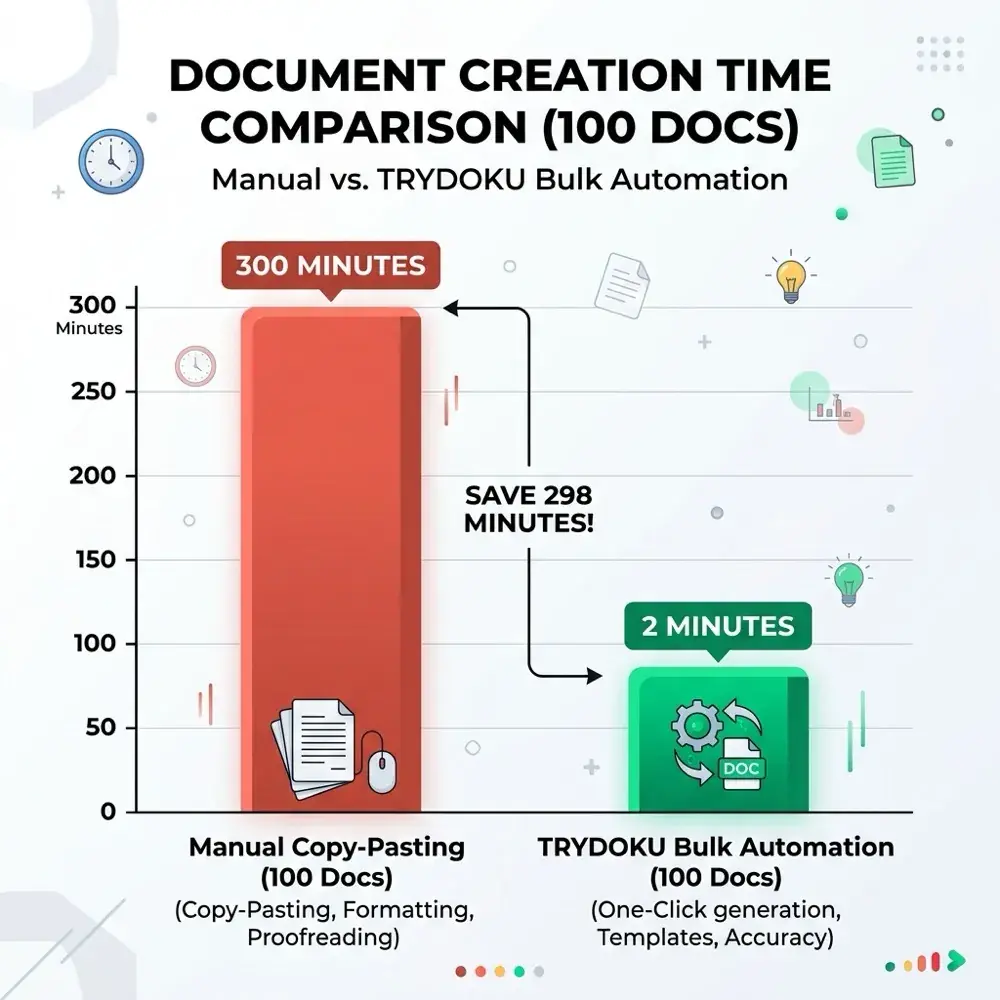
In this guide, we explore how Grok Bot works, its core office use cases, its distinct advantages over traditional RPA, and how organizations can combine AI agents with TRYDOKU to build end-to-end automated document generation pipelines.
What Makes Grok Bot Different from Traditional Automation?
For years, businesses wanting to eliminate copy-paste busywork had two primary options:
- API-Led Integrations (Zapier, Make, Custom REST APIs): Fast, reliable, and secure—provided every single application in your technology stack offers a well-documented API. The moment you encounter a legacy accounting tool, an external client portal, or an outdated CRM, the integration breaks.
- Robotic Process Automation (RPA): UI automation bots that click buttons and fill inputs. However, traditional RPA scripts are notoriously fragile: a button moving two pixels to the left or a slight change in DOM hierarchy often causes the entire automation to fail.
Grok Bot merges the visual comprehension of multimodal large language models with autonomous computer interaction. Because it visually perceives the screen, interprets contextual instructions, and adapts dynamically to UI changes, it can complete workflows that were previously impossible to automate without human intervention.
| Automation Method | Setup Complexity | Legacy UI Compatibility | Handles Unstructured Data | Best Fit |
|---|---|---|---|---|
| Manual Data Entry | None | 100% | High (human judgement) | One-off or ad-hoc tasks |
| Traditional RPA | Very High | High (brittle coordinates) | Low | Rigid, repetitive legacy tasks |
| Zapier / Make | Medium | Low (API only) | Moderate | Standard SaaS-to-SaaS data sync |
| Grok Bot + TRYDOKU | Low to Medium | High (visual AI reasoning) | Very High | Autonomous office workflows & document batching |
How Can Grok Bot Be Used in the Modern Office?
By giving an intelligent model its own virtual machine with browser and application access, organizations can deploy Grok Bot across multiple high-volume administrative areas:
1. Invoice Processing & Accounts Payable
Grok Bot can continuously monitor accounts payable email inboxes, extract vendor details, line items, tax totals, and due dates from incoming PDF attachments, and automatically enter that information into your accounting or ERP software. When paired with TRYDOKU, it can take aggregated monthly spreadsheet data and generate standardized payment vouchers or audit-ready summaries in Word (.docx) and PDF formats.
2. Email Organization & Draft Preparation
Instead of spending hours sorting through hundreds of daily messages, Grok Bot can triage customer inquiries, categorize priority leads, flag urgent contractual requests, and draft context-aware replies for team members to review with one click before sending.
3. CRM & Sales Pipeline Hygiene
Sales teams frequently lose valuable selling time updating deal stages, meeting notes, and contact details. Grok Bot can parse post-call transcripts or email threads and automatically update the corresponding account records in Salesforce, HubSpot, or custom internal CRMs.
4. Expense Reporting & Receipt Reconciliation
Employees can forward receipts directly to an internal inbox or Slack channel. Grok Bot reads the receipt images, validates the expense category, reconciles it against the corporate card statement in Excel, and submits the finalized expense claim into the company portal.
5. Employee Onboarding & Administrative Setup
When onboarding a new hire, Grok Bot can coordinate the administrative checklist: creating accounts in internal tools, populating employee profile records, and triggering TRYDOKU to generate customized HR employment contracts, benefits summaries, and non-disclosure agreements pre-filled with the candidate's exact compensation and start date.
6. Automated Periodic Reporting & Anomaly Detection
Grok Bot can log into multiple disjointed platforms at the end of each week, extract relevant KPI metrics into a master spreadsheet, identify overdue tasks or missing records, and compile a clean executive briefing.
Core Advantages: No APIs Required & Workflow Learning
Two capabilities set Grok Bot apart from conventional workflow software:
1. Direct UI Interaction Without API Dependencies
The majority of niche enterprise systems—from specialized logistics software to government filing portals—do not offer public APIs. Grok Bot navigates these systems just like a human operator, typing into fields, selecting dropdown options, and downloading files directly through the web browser.
2. Learn by Demonstration
Rather than writing lines of code or drawing complex logic trees, users can demonstrate a workflow once. The Bot observes the screen actions, understands the underlying intent, and compiles the sequence into a repeatable, reusable routine that it can execute on schedule or on demand.
Orchestrating a Fleet of Specialized AI Teammates
Rather than relying on a single monolithic bot to handle every task, businesses can deploy multiple specialized Grok Bots operating concurrently:
- The Inbox Bot: Monitors email, classifies correspondence, and dispatches attachments.
- The Data Processing Bot: Validates spreadsheet data, checks for missing variables, and runs data cleaning routines.
- The Operations Bot: Interacts with external vendor portals, enters purchase orders, and downloads status receipts.
- The Coordinator Bot: Oversees the sub-bots, delegates tasks across the fleet, and alerts human supervisors only when an exception occurs or explicit approval is required.
Incoming Customer Request / Email
             │
             ▼
    [ Coordinator Bot ]
             │
   ┌─────────┼─────────┐
   ▼         ▼         ▼
[Inbox]   [CRM Data] [Invoice]
   │         │         │
   └─────────┬─────────┘
             ▼
   [ TRYDOKU Generation ]
(Generates .docx & PDF artifacts)
             │
             ▼
   [ Human Approval Gate ]
Combining Grok Bot with TRYDOKU for Document Generation
While Grok Bot excels at navigation, data extraction, and user interface actions, generating customer-facing contracts, legal agreements, and corporate invoices requires pixel-perfect Word formatting and strict data privacy.
This is where TRYDOKU and Grok Bot complement each other:
- Data Gathering via Grok Bot: Grok Bot gathers customer records, line items, and pricing variables from internal systems, web forms, or spreadsheets.
- Instant Template Merging with TRYDOKU: Grok Bot sends the gathered JSON or Excel payload to TRYDOKU's high-speed REST API (
/api/v1/generate) or uploads the data into a pre-configured Word document template. - EU Hosting & Automated File Deletion: Because TRYDOKU operates securely in Frankfurt (EU) with automated 24 to 72 hour deletion of generated batch artifacts, sensitive corporate data extracted by the bot is never retained permanently on third-party servers.
- Final Document Delivery: Grok Bot retrieves the generated
.docxor PDF file and automatically attaches it to an email or uploads it to the appropriate client folder.
Developers and operations teams can explore the complete TRYDOKU API Documentation and pre-built Document Templates to integrate automated document creation directly into their AI agent workflows.
Best Practices & Responsible Adoption for Early Beta
Because autonomous AI agents like Grok Bot represent an evolving technology in early beta, organizations should implement safe adoption guardrails:
- Start with Low-Risk, Read-Heavy Tasks: Begin with data extraction, draft replies, and periodic reporting before granting autonomous write or payment permissions.
- Enforce Human-in-the-Loop Approval: Always require a human teammate to confirm critical actions—such as releasing funds, sending customer-facing emails, or deleting records.
- Use Dedicated Service Accounts: Never grant AI bots personal administrative credentials. Assign dedicated service accounts with least-privilege role permissions and audit logging.
- Monitor Execution Logs: Regularly review agent trajectories and execution snapshots to ensure the bot consistently follows organizational policies and data governance standards.
Summary: The Future of Collaborative Office Automation
The goal of AI teammates like Grok Bot is not to replace knowledge workers, but to liberate them from hours of repetitive, copy-paste busywork. By handling mundane data entry, email categorization, and multi-system navigation, Grok Bot empowers teams to focus their energy on strategy, creative problem-solving, and high-impact human relationships.
When paired with modern document automation infrastructure like TRYDOKU, organizations can transform complex, multi-application office routines into seamless, instant, and reliable automated workflows.